
View GST Reverse Charge Supplies in GSTR-3B in TallyPrime
For TallyPrime 2.1 & earlier
The Reverse Charge Supplies report in TallyPrime displays transactions of purchases and journal vouchers recorded for stock items under reverse charge. With this report, you can:
- Get a quick view of tax liability from reverse charge purchases.
- Record the adjustment entry to update liability and input tax credit in your books.
- Press Alt+G (Go To) > type or select GSTR-3B, and press Enter.
- Drill down from Reverse Charge Inward Supplies.
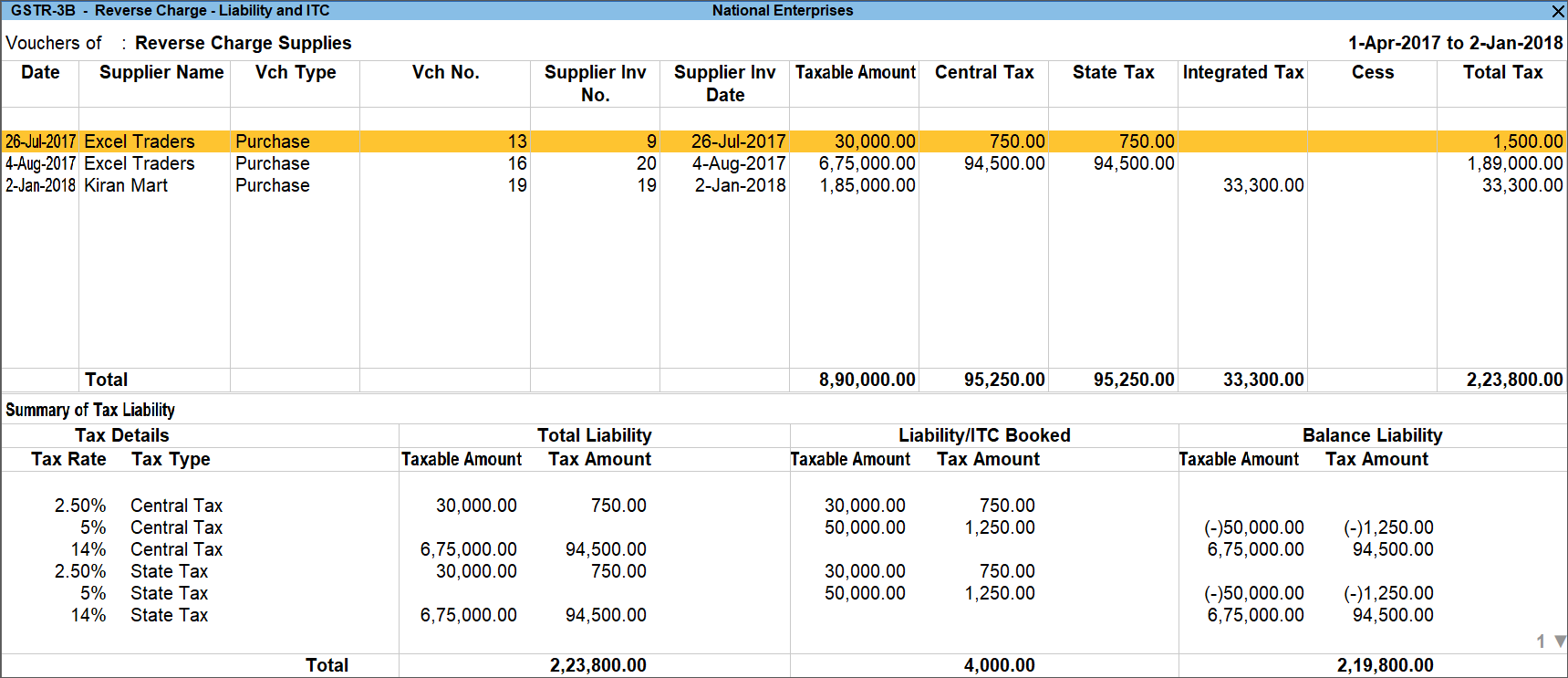
- To view Liability/ITC Booked, press Ctrl+H (Change View), select Liability/ITC Booked, and press Enter.

You can also use this report to record journal vouchers for booking the pending liability and updating the liability in books of accounts.
View Total Eligible Input Tax Credit (ITC)
Knowing the eligible ITC allows you to avoid:
- Experiencing loss by claiming less ITC.
- Attracting penalties by claiming excess ITC.
- Press Alt+G (Go To) > type or select GSTR-3B, and press Enter.
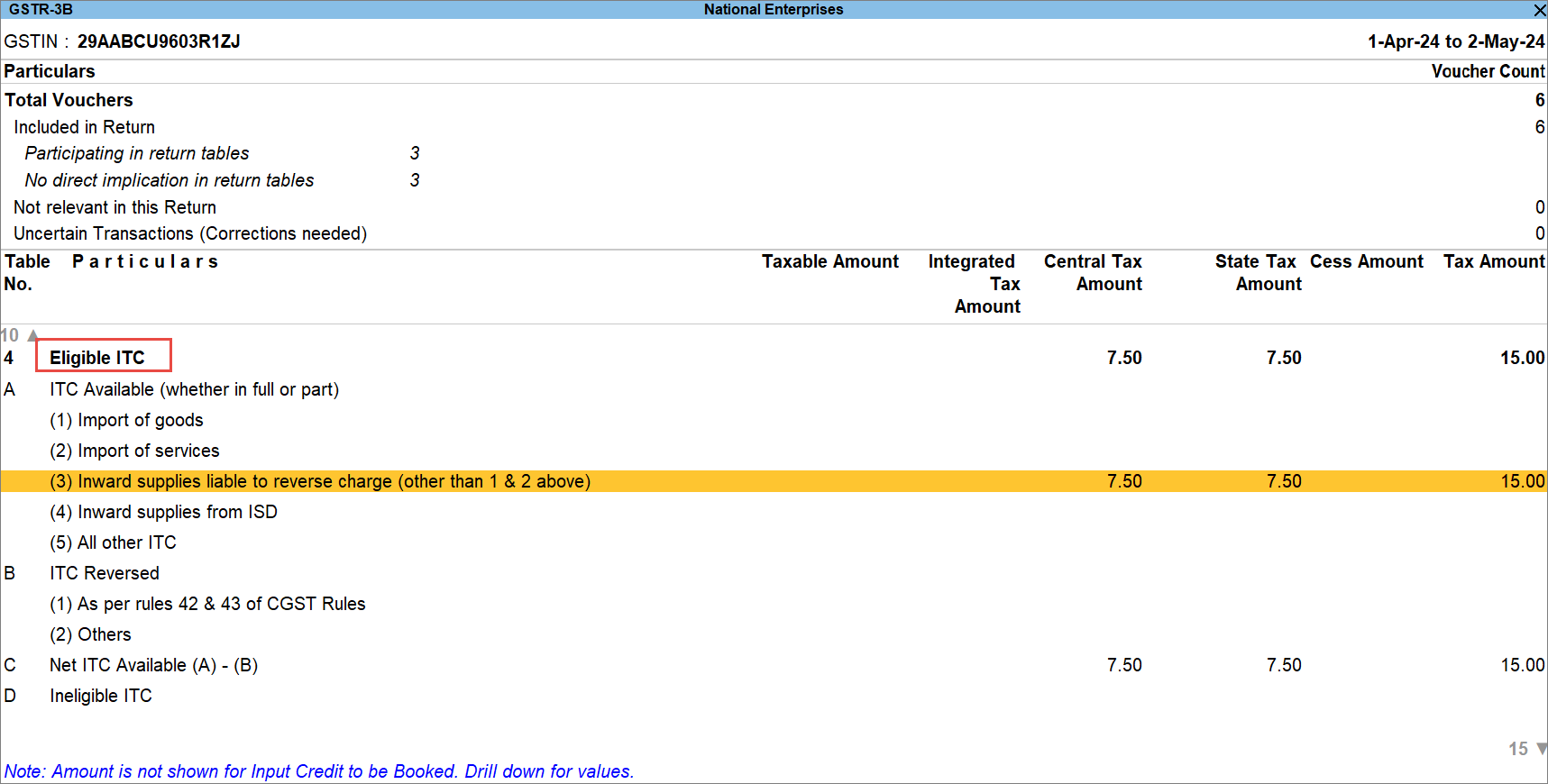
- Drill down further from the Inward supplies liable to reverse charge or any other relevant section under Eligible ITC.

You can view the transaction for which ITC can be availed.
View Input Tax Credit (ITC) to be Booked
You would want to know the balance ITC to be booked and claim it in the selected period.
- Press Alt+G (Go To) > type or select GSTR-3B, and press Enter.
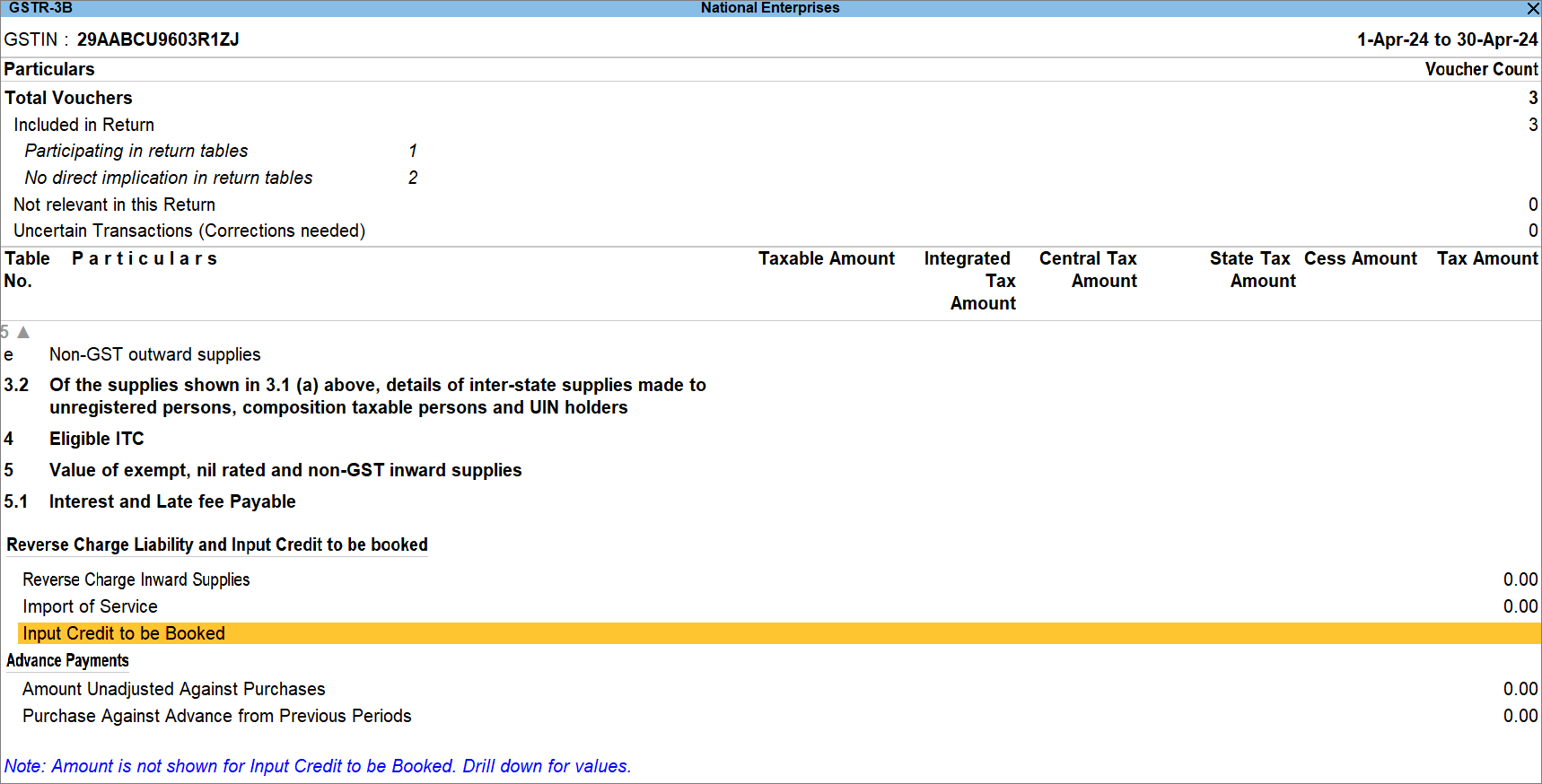
- Press Enter on Input Credit to be Booked.
- On the row of the relevant month, press Alt+F5 (Detailed).
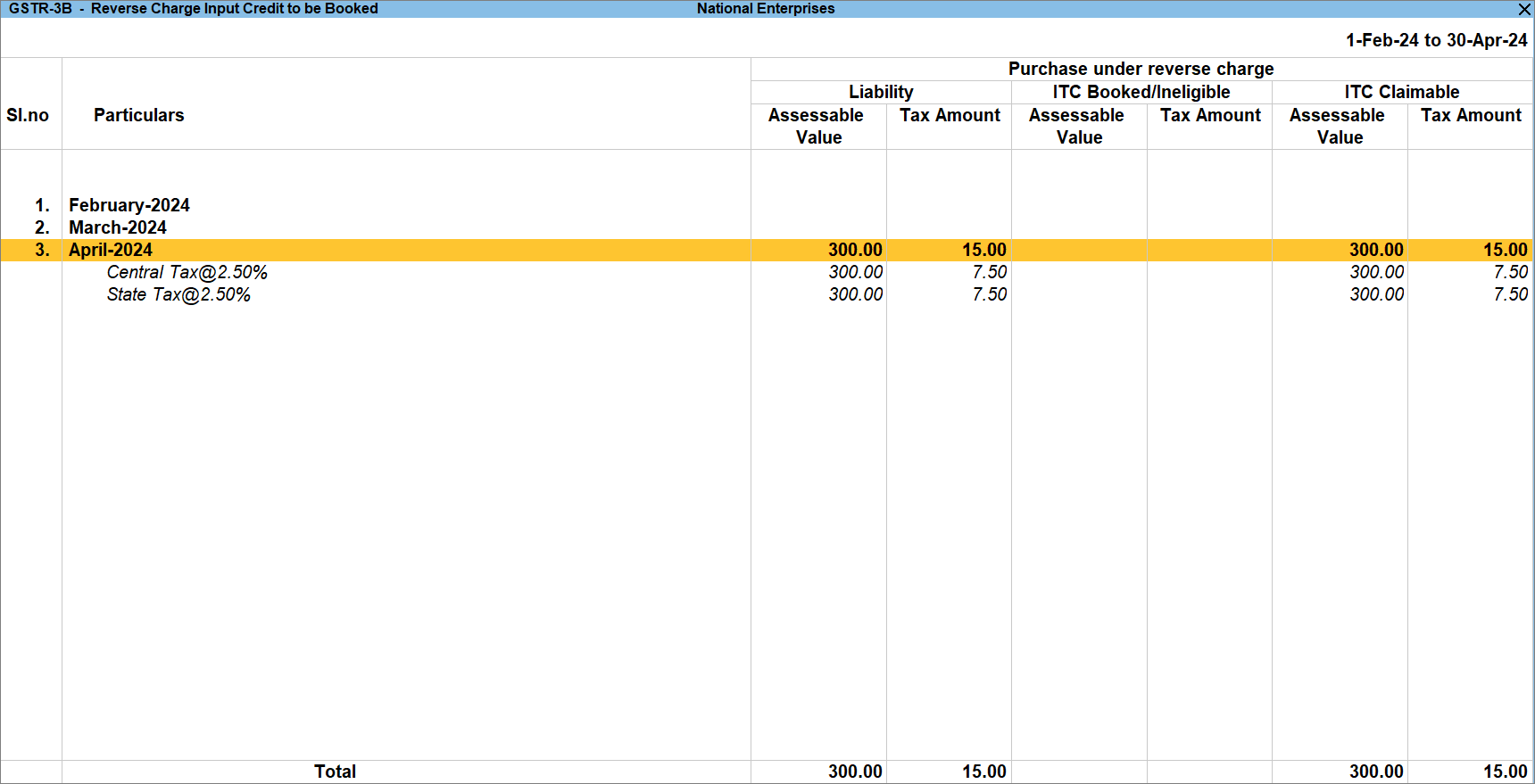
Based on the transactions, the report appears for purchases under reverse charge, import of services and import of goods. - Drill down further from the relevant month to view other details of the transactions.

- Press F8 (Show Purchases/Journals) to view the purchase/journal vouchers recorded in the selected month.
Alternatively, press Ctrl+B (Basis of Value) > set Show Vouchers of as Purchases or Journals.
Is this information useful?
YesNo


