
Referenced Master is Missing
Cause
In case your company data has some masters missing which were earlier referenced in another master or voucher, such affected master or voucher are categorised under the exception Referenced master is missing. This exception occurs when there is a reference of the master in your imported data, but the referenced master is not available in the existing data in TallyPrime.
A referenced master is a master that is used as an input in a field of another master or voucher. The latter is known as the affected master or voucher.
For example, if you are creating a godown Bangalore-Sub under another godown Bangalore-HO in TallyPrime, Bangalore-Sub is the affected master and Bangalore-HO is the referenced master. In this case, for any reason if Bangalore-HO was deleted from the data, TallyPrime identifies that this master is missing which has created an exception for Bangalore-Sub.
In such instances, TallyPrime helps you to create the missing referenced masters to resolve the exceptions in the affected masters and vouchers.
Resolution
- Drill-down from Referenced master is missing.
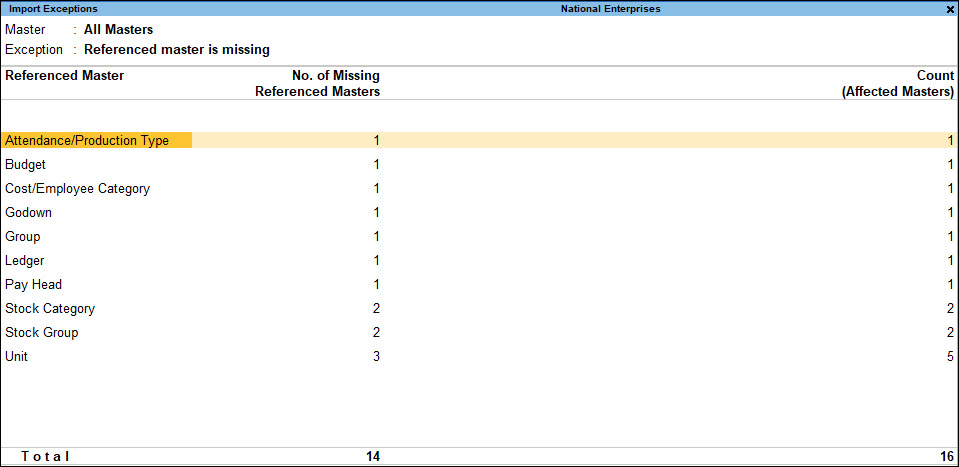
This report displays the referenced master that is missing from the data, the number of missing referenced master, and the number of affected masters. You can drill-down from any of these columns. - Drill-down from the respective columns to resolve the exception, as per your requirement:
- Drill-down from the Referenced Master or No. of Missing Referenced Masters columns to create the master by providing the required details.
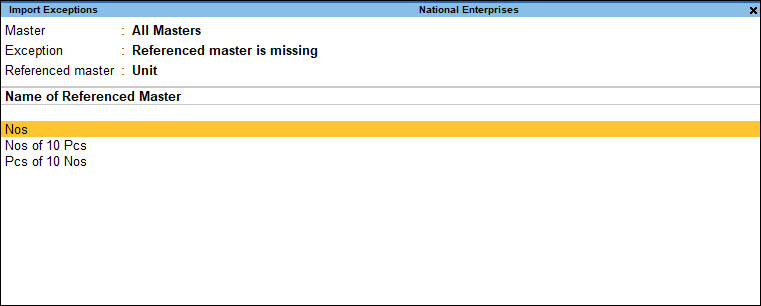
On creating the missing master, TallyPrime verifies all the affected masters/vouchers that will get resolved, as the necessary input – the referenced master – is now available. If there are more than one referenced master, you can create each of the masters one after the other.
When you create a missing referenced master, TallyPrime prompts you with the following message:
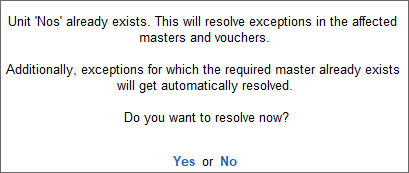
Press any key to continue to remove all affected masters from the exceptions report. - Drill-down from the Count (affected masters/vouchers) column and update the field with an existing master.
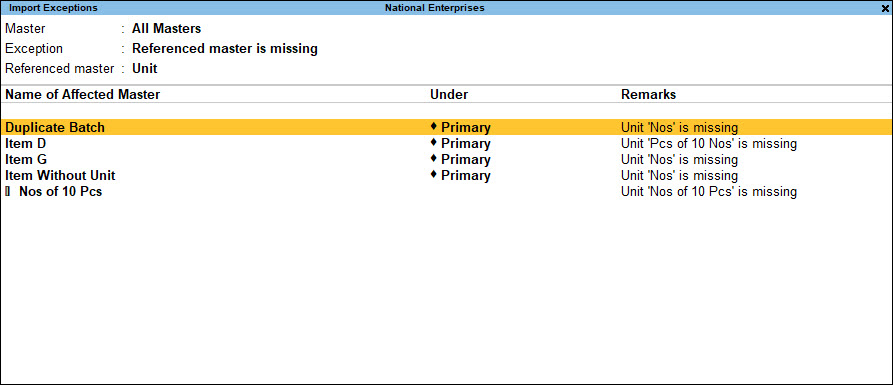
You can do so when you want to update the referenced master to something existing, instead of creating the missing master.
The Remarks column provides additional information that helps in understanding the exception better and deciding on the resolution.
- Drill-down from the Referenced Master or No. of Missing Referenced Masters columns to create the master by providing the required details.
On resolving the Reference master is missing exception, the affected masters/vouchers start appearing as part of your books, similar to results of resolving any other exception.


