
Override Tax Value in TallyPrime (Payroll)
The Override Tax Value screen allows you to manually override the monthly income tax deduction for an employee. Once overridden, the system ignores the calculated tax amount and uses the specified value for the selected period.
Before you begin | Prerequisites
- Ensure you have enabled Payroll in TallyPrime.
- Employee master is created.
To override tax value,
- Press Alt+G (Go To) > Alter Master > type or select Income Tax Amount and press Enter.
- Select the employee from the List of Employees/Groups.
- In Effective From, specify the date when the override becomes applicable.
- In Effective To, specify the date until when the override is applicable.
- Enter the required amount in the Tax Amount (Per Month) field.
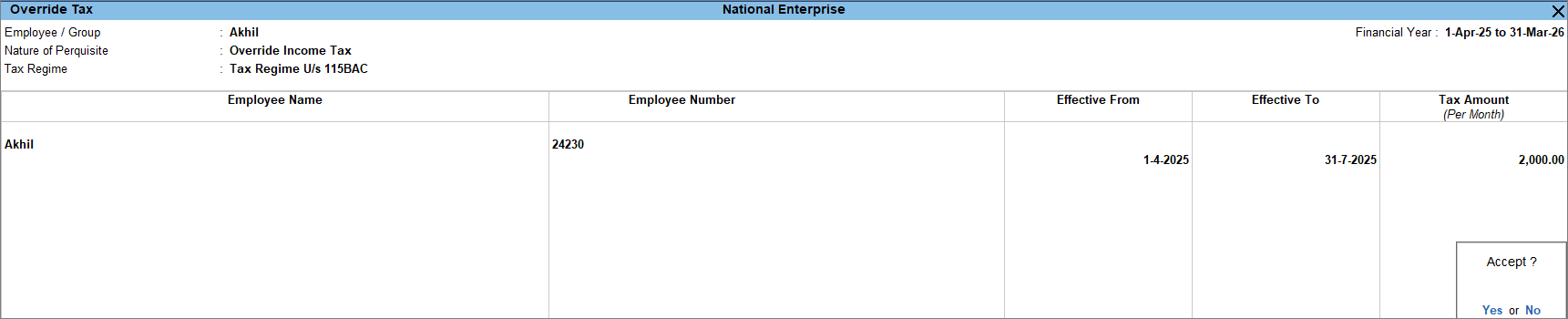
- Press Ctrl+A to save.
Is this information useful?
YesNo


