
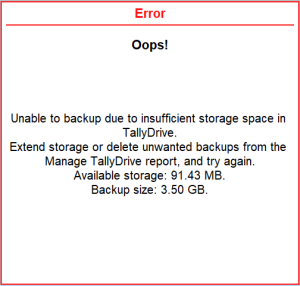
Unable to backup due to insufficient storage space in TallyDrive.
Cause: This error appears when you do not have sufficient storage space on TallyDrive to complete the backup.
Resolution 1:
Delete older or unwanted backups
- Open the TallyDrive Management report.
- Press Alt+Y (Backup & Restore) > Manage TallyDrive.
- Log in to TallyDrive using your Tally.NET ID and Password.
- Select the backup or multiple backups you want to delete, and press Alt+D (Delete).
Resolution 2:
Extend your TallyDrive storage from TallyPrime or directly from the Tally Solutions Customer Portal.
To extent TallyDrive from TallyPrime,
- Open the TallyDrive Management report.
- Press Alt+Y (Backup & Restore) > Manage TallyDrive.
- Log in to TallyDrive using your Tally.NET ID and Password.
- Press F6 (Extend Storage).
Once space is available, retry the backup.
Is this information useful?
YesNo


