
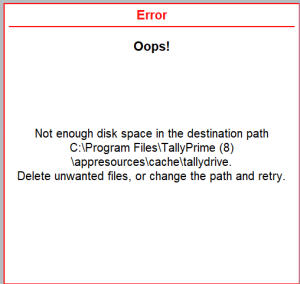
Unable to backup due to insufficient disk space in the application path.
Cause: This error appears when TallyPrime tries to create a local backup in the installation folder before uploading it to TallyDrive, but the folder does not have enough free space.
Resolution:
Check the size of the company you are backing up, and make sure the TallyPrime installation folder (shown in the error message) has at least that much free space.
-
Locate the folder: Find the folder where your company data is stored.
-
Check data size: Right-click the folder, select Properties, then go to the General tab. Note the company Size under.
-
Ensure this much storage space is available on the TallyPrime installation path specified in the error message.
Is this information useful?
YesNo


