
Unable to Read Message for Update
You can avoid this error by upgrading to the latest release of TallyPrime.
Cause:
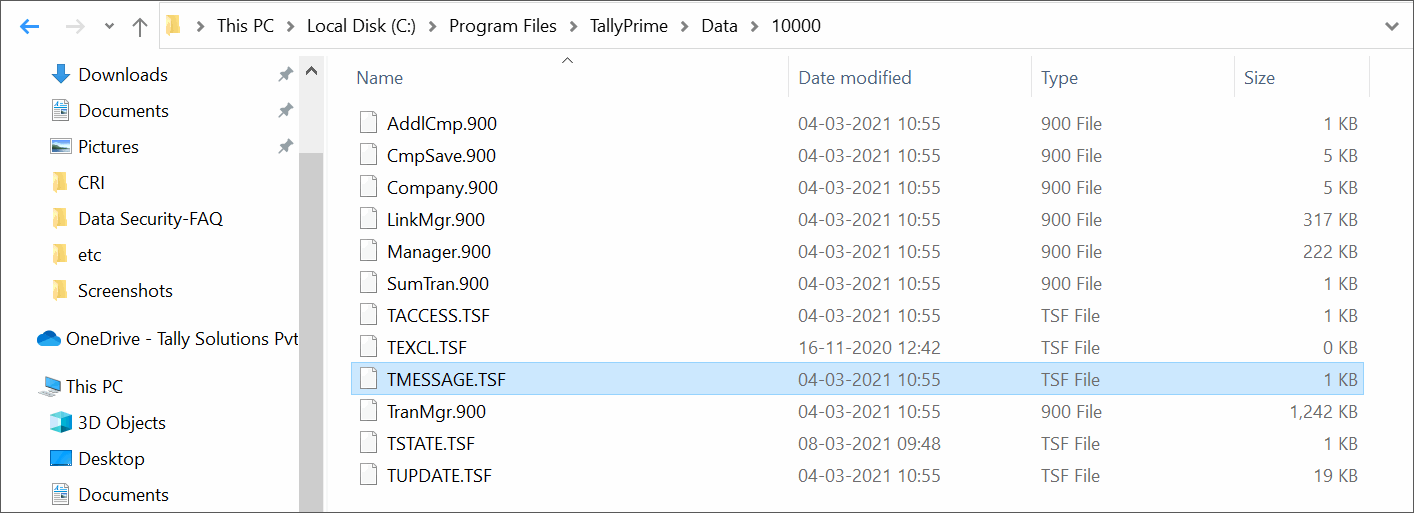
This error occurs when the TMESSAGE.TSF file is damaged.
Solution:
To fix this issue
- Right click on the TallyPrime icon and select Open File location.
- Open the Data folder from the file location.
- Open the folder in which the company’s data are stored.
- Delete the TMESSAGE.TSF file if its size is between 0 and 1 KB. If the file size is more than 1 KB, move the file to another location.
- Reload the company in TallyPrime.
Is this information useful?
YesNo


