
Track Loan Application Status in TallyCapital
Once you have submitted the loan application, it is processed through different stages. You can view the exact status of your application at any point.
- Gateway of Tally > TallyCapital.
You can press Alt+9 (TallyCapital) from any screen on TallyPrime. - Press Alt+S (Track Application Status) and enter the Mobile number followed by the OTP.
On successful authentication, the List of Loan Applications appears.
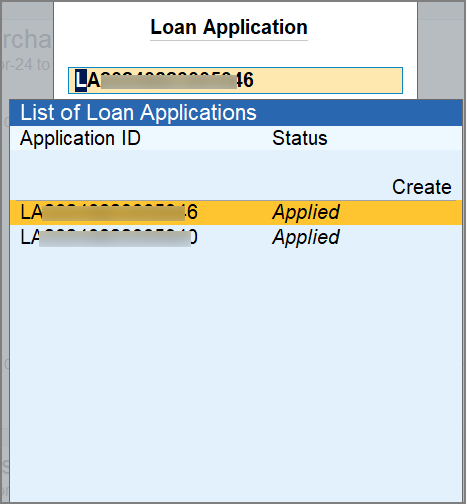
- Drill down from the application to view the details of the status.
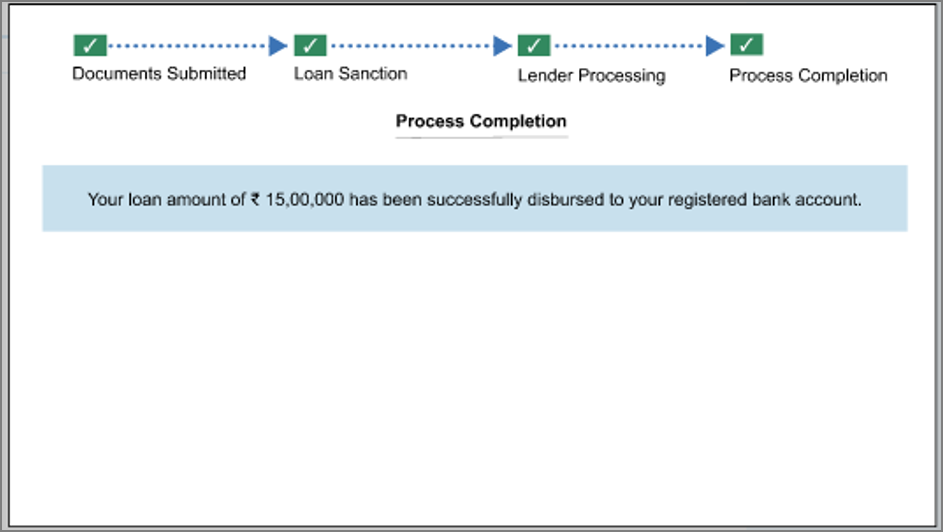
You will be able to see the loan application and its status.
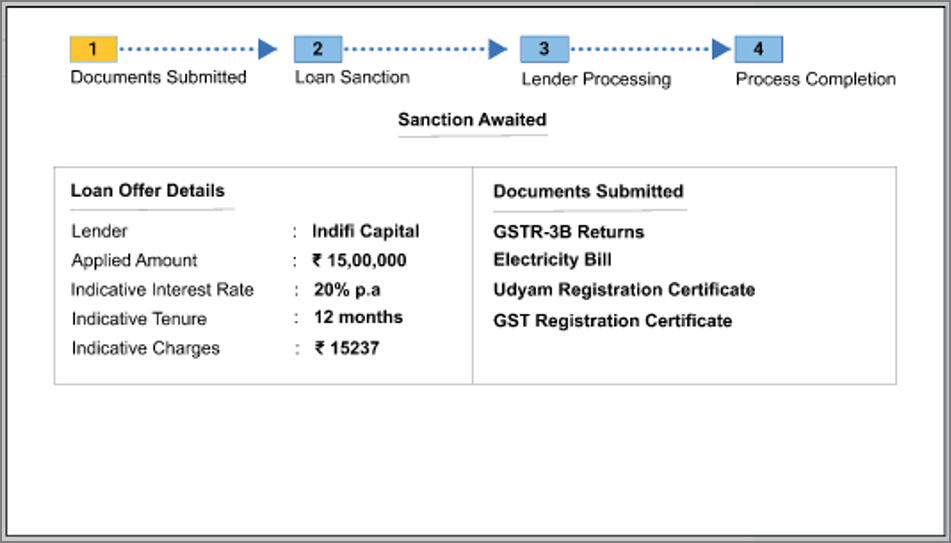
- Documents Submitted – Your loan application is submitted to the respective lender and is awaiting to be sanctioned.
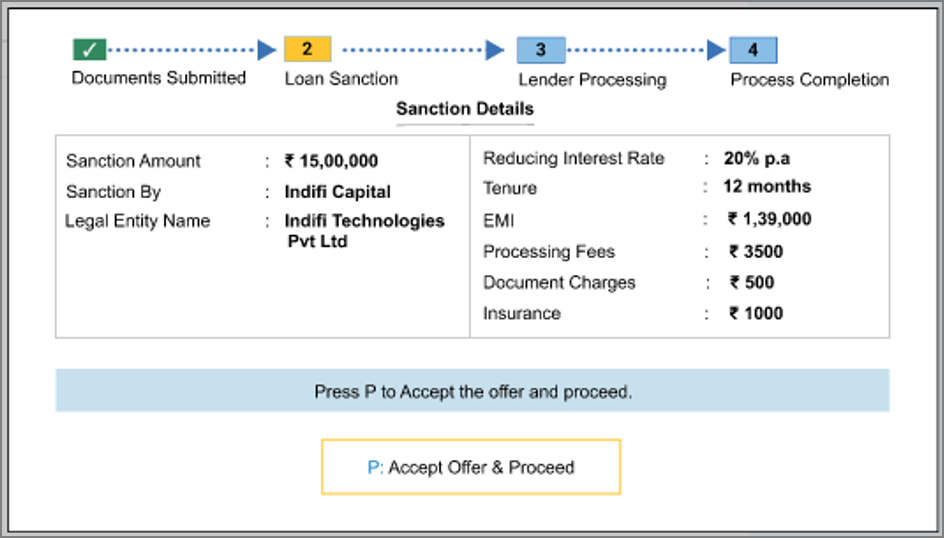
- Loan Sanction – Your loan application is sanctioned and you can see the sanction details. Press P to accept the and proceed with the next steps.
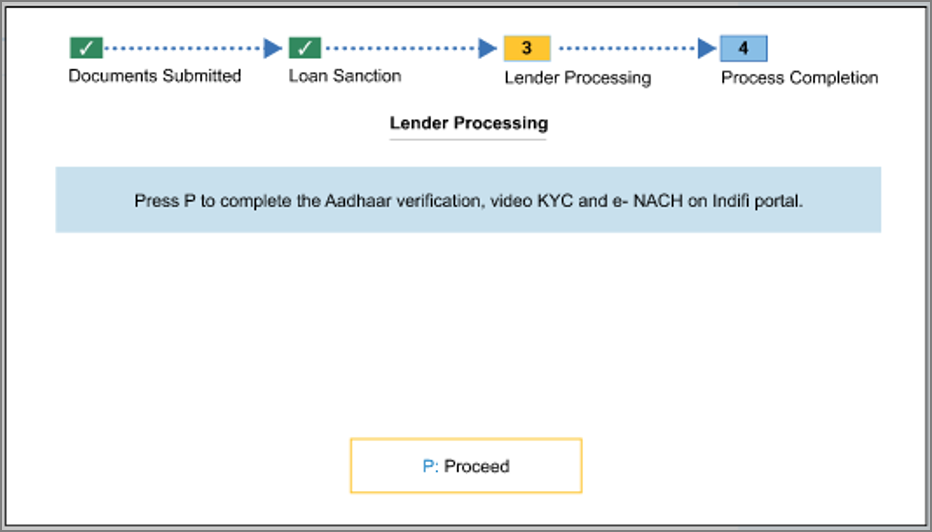
- Lender Processing – You have accepted the lender offer. Press P (Proceed) to go to the lender portal for Aadhaar Verification, Video KYC & E-NACH completion.
- Process Completion – Your loan has been disbursed to the registered bank account.
Is this information useful?
YesNo


