
Raise Liability and Claim ITC for RCM Purchases in TallyPrime
For TallyPrime 3.0 & later
|For TallyPrime 2.1 & earlier|
Under GST, purchases under Reverse Charge Mechanism (RCM) make the recipient liable to pay tax instead of the supplier. Now, Input Tax Credit (ITC) can only be claimed after the tax is paid and a valid invoice is available. You can raise liability and claim ITC in the same period.
ITC may sometimes be claimed in the next period due to timing or operational factors, such as:
- Month-end payments: RCM tax paid late in the month often shifts ITC to the next return cycle.
- Internal processes: Early book closure or verification steps can delay claiming.
- Practical timing issues: Late payments naturally push ITC to the following period.
Raise Tax Liability and Claim Input Tax Credit in the Same Period
- Press Alt+G (Go To) > type or select Reverse Charge Supplies and press Enter.
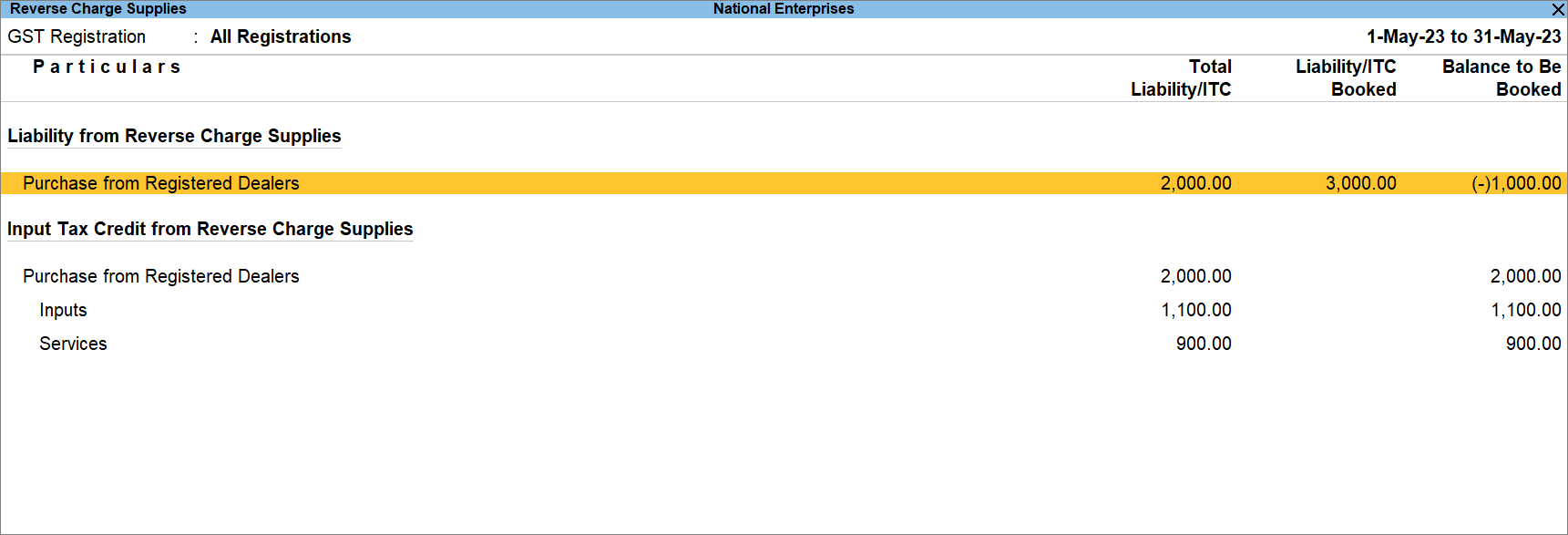
- Drill down from Purchase from Registered Dealers under Liability from Reverse Charge Supplies.
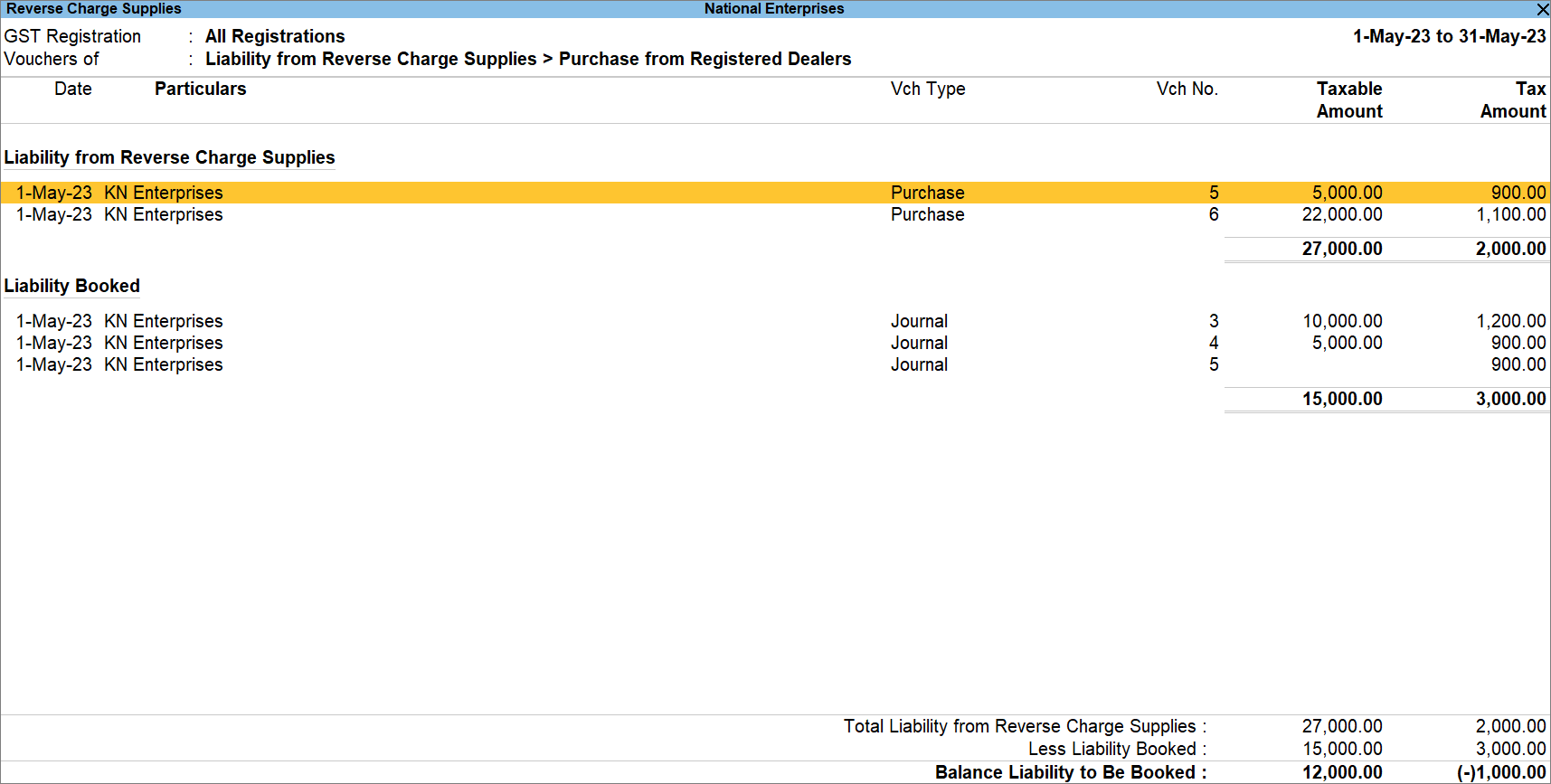
After referring to the values, you can create a Journal Voucher for stat adjustments.
- Press Alt+J (Stat Adjustments).
- Provide the Stat Adjustment Details.
- Type of duty/tax: GST.
- Nature of Adjustment: Increase in Tax Liability & Input Tax Credit.
- Additional Nature of Adjustment: Purchase Under Reverse Charge from Registered Dealers.
- Create the Journal Voucher to raise the liability.
- Under By (Debit), select the tax ledgers, as applicable and enter the amount manually calculated by you.
- Credit the tax ledgers.
- Under To (Credit), select the tax ledgers, as applicable.
- Enter Rate, Taxable Value, and press Enter.
The Taxable Value is the total value of RCM purchases for which you want to raise the liability in a particular month.
- Provide the relevant GST details.
- Provide GST Details: Yes.
- Party Name: Select the party.
Other details get pre-filled, based on the party ledger. - Press Ctrl+A to save the details.
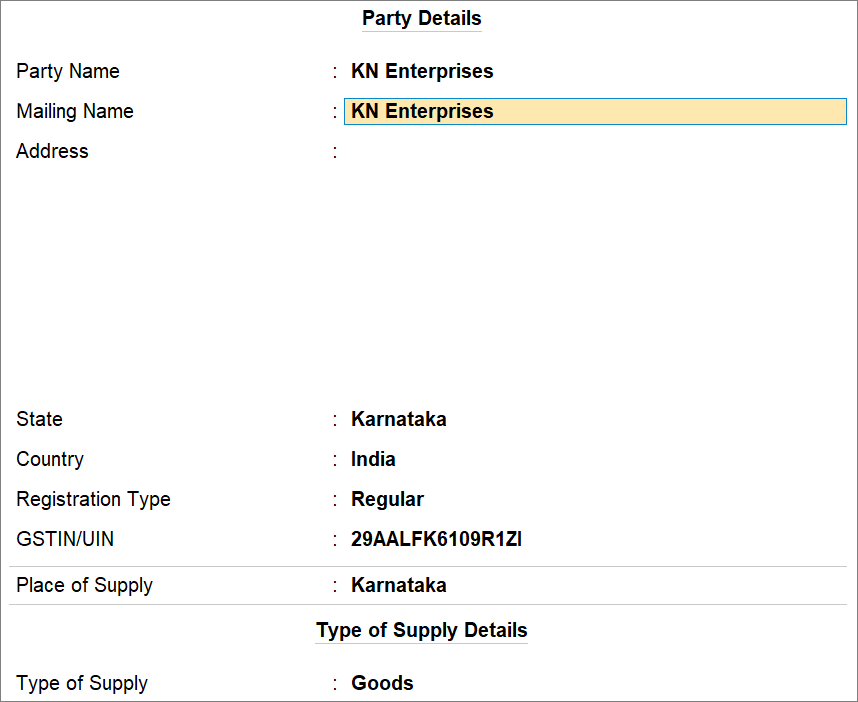
- Press Ctrl+A to save the voucher.
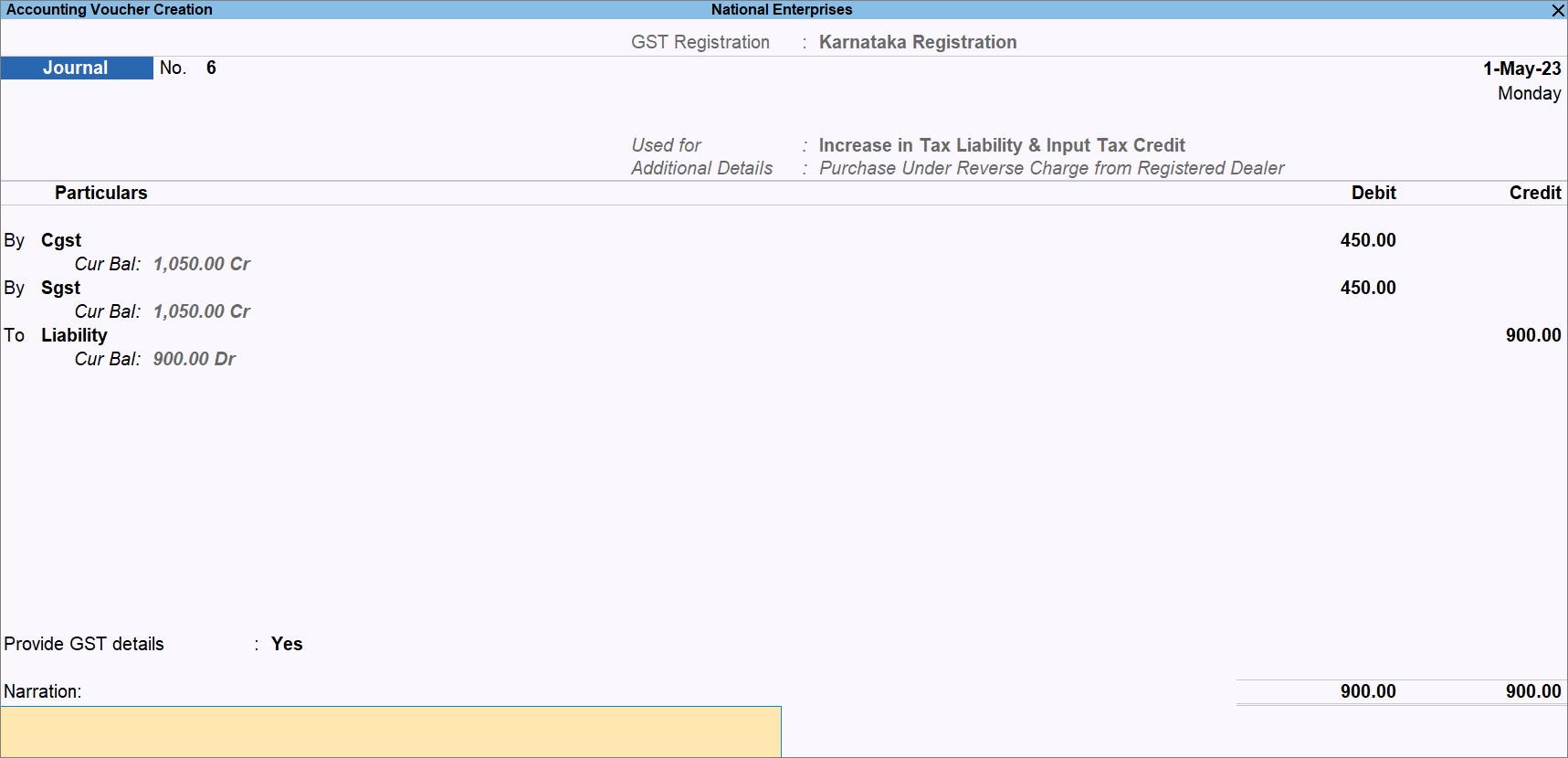
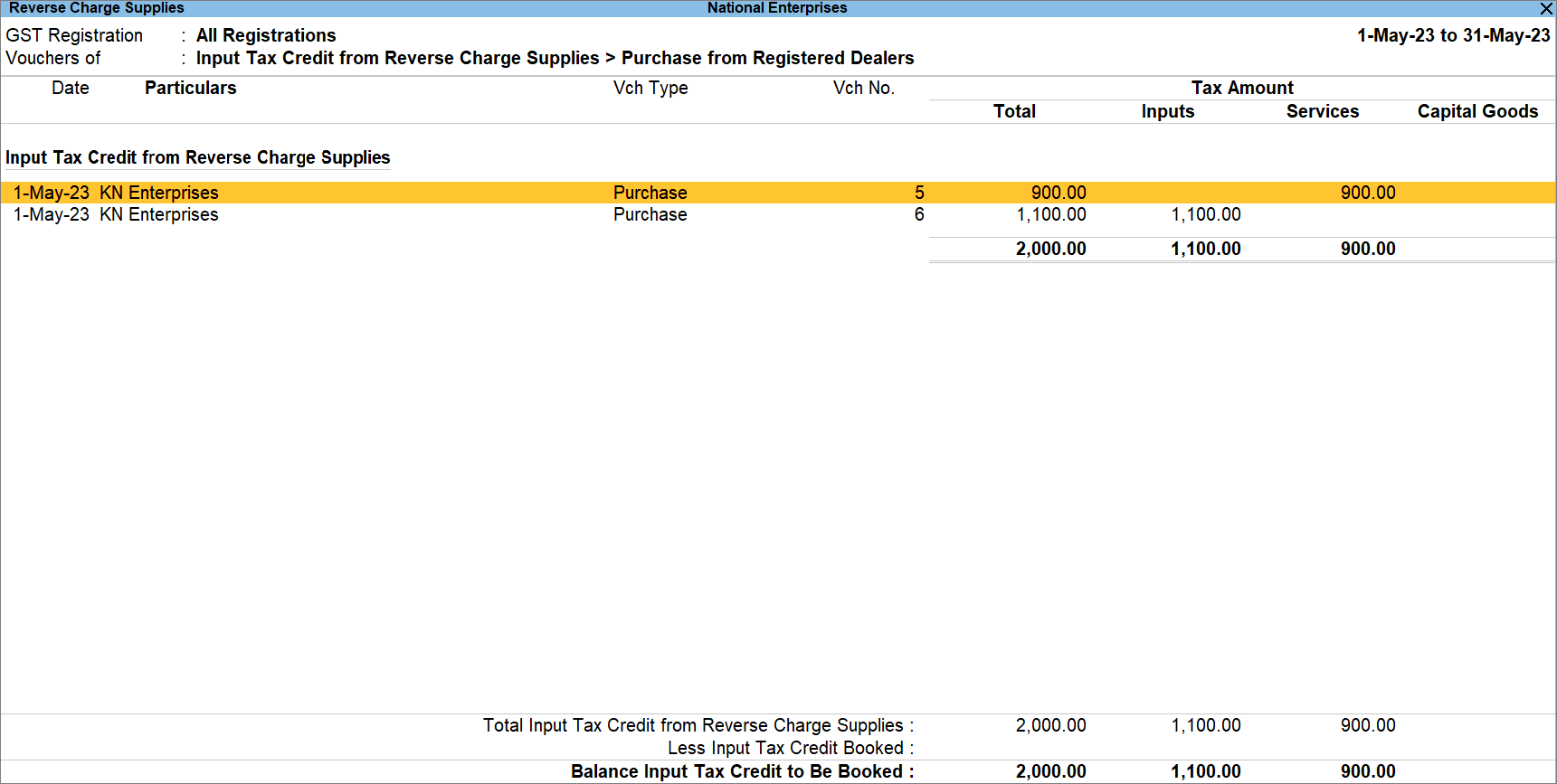
In the Reverse Charge Supplies report, drill down from Purchase from Registered Dealer under Input Tax Credit from Reverse Charge Supplies.
 Raise Liability in One Tax Period and Claim ITC in Subsequent Period
Raise Liability in a Tax Period
- Press Alt+G (Go To) > type or select Reverse Charge Supplies, and press Enter.
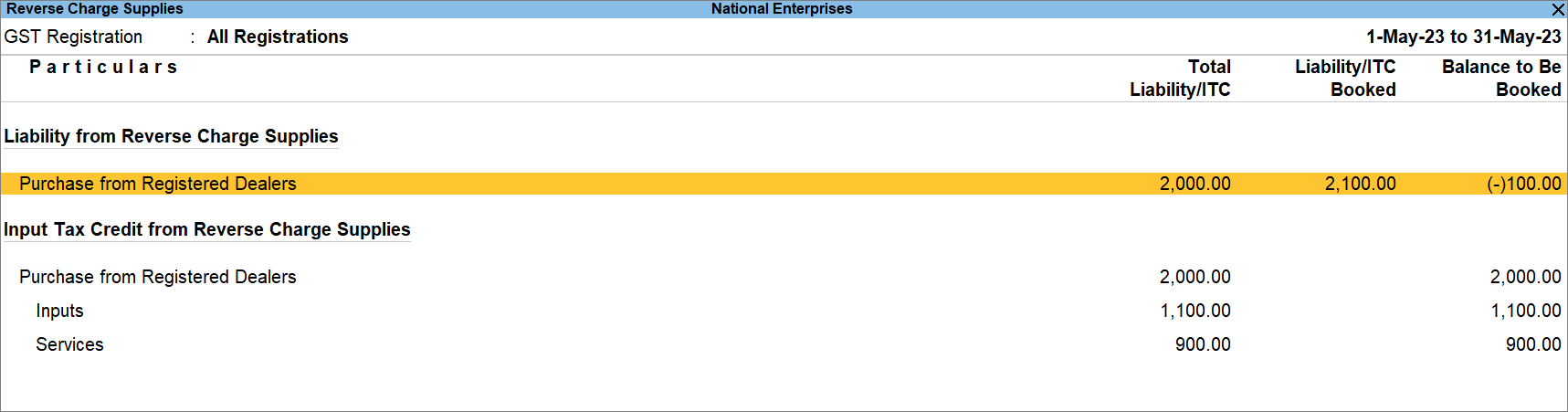
- Drill down from Purchase from Registered Dealers.
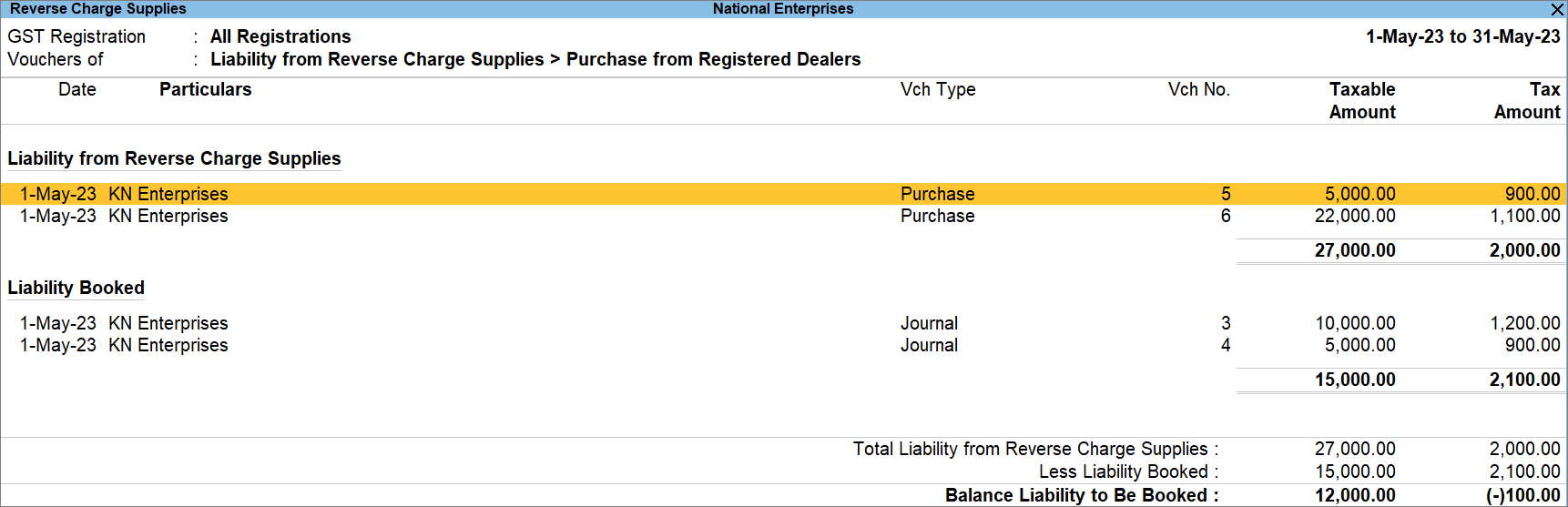
- Press Alt+J (Stat Adjustments) and provide the relevant details in the Stat Adjustment screen.
- Nature of Adjustment: Increase in Tax Liability.
- Additional Nature of Adjustment: Purchase Under Reverse Charge from Registered Dealer.
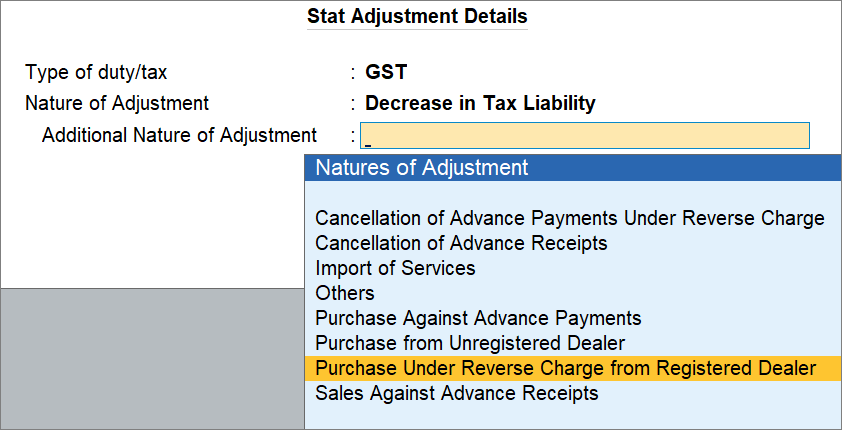
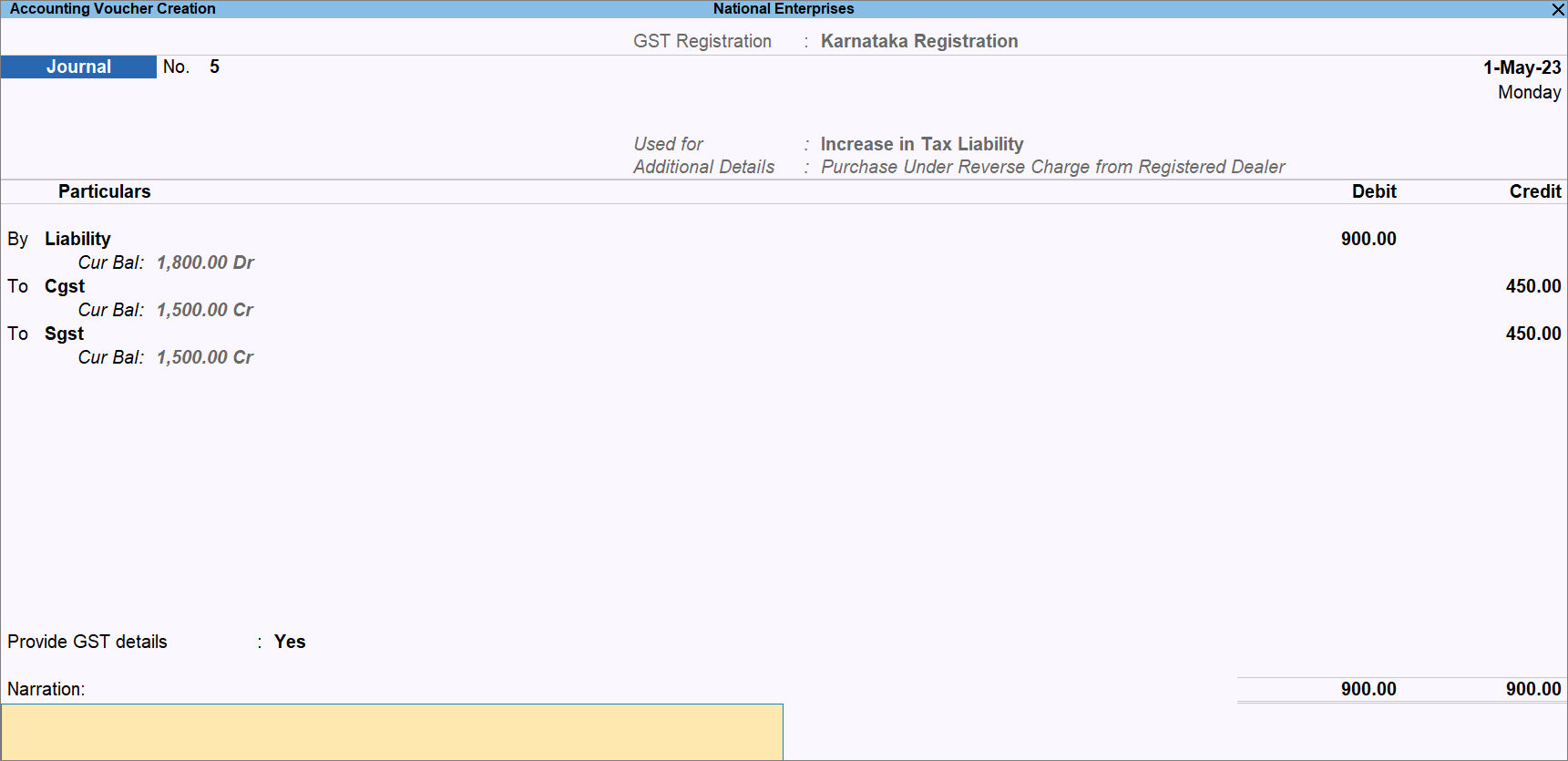
- Create the Journal Voucher to raise the liability.
- Under By, select the relevant ledger created for Liability and enter the amount.
- Provide the tax ledger details.
- Under To, Select the relevant GST ledger.
- Enter the tax rate and the invoice amount.
The tax amount gets calculated. - Enter another GST ledger, if it is an intrastate transaction.
- Provide the relevant GST details.
- Provide GST Details: Yes.
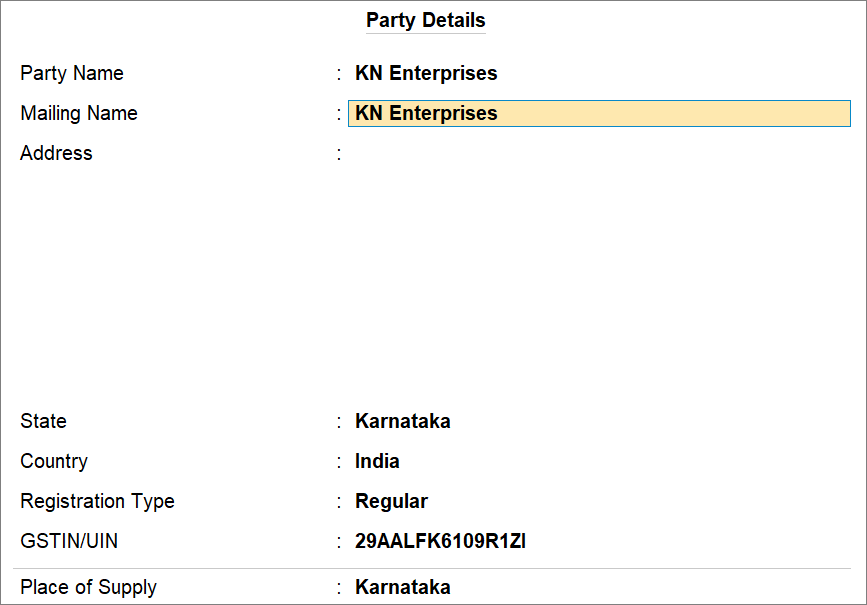
- Party Name: Select the party.
Other details get pre-filled, based on the party ledger.
- Press Ctrl+A to save the details.
- Press Ctrl+A to save the voucher.
Claim ITC in the Subsequent Period
- Press Alt+G (Go To) > type or select Reverse Charge Supplies, and press Enter.
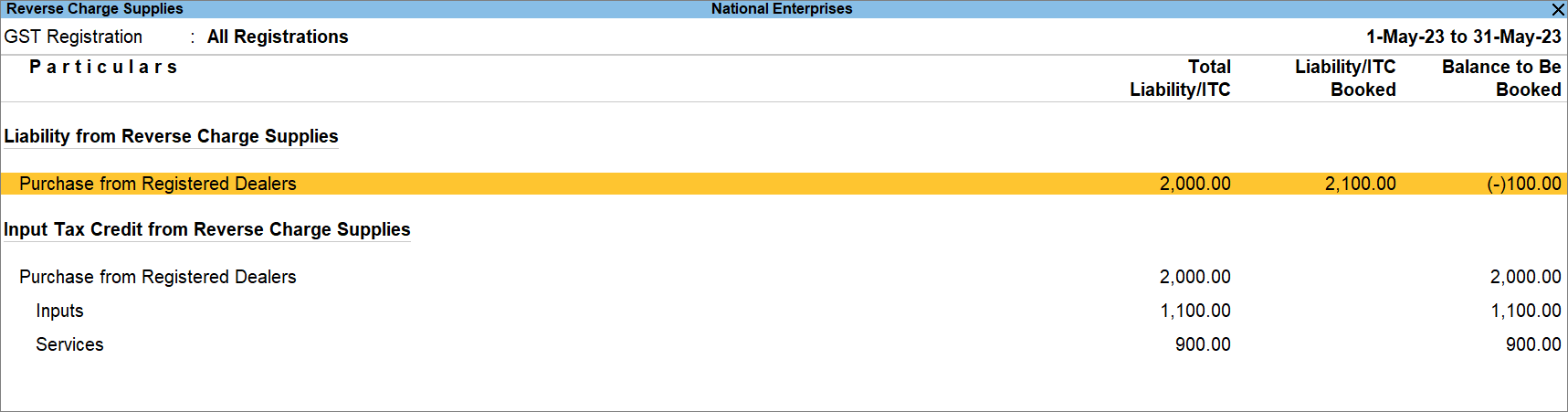
- Drill down from Purchase from Registered Dealers.
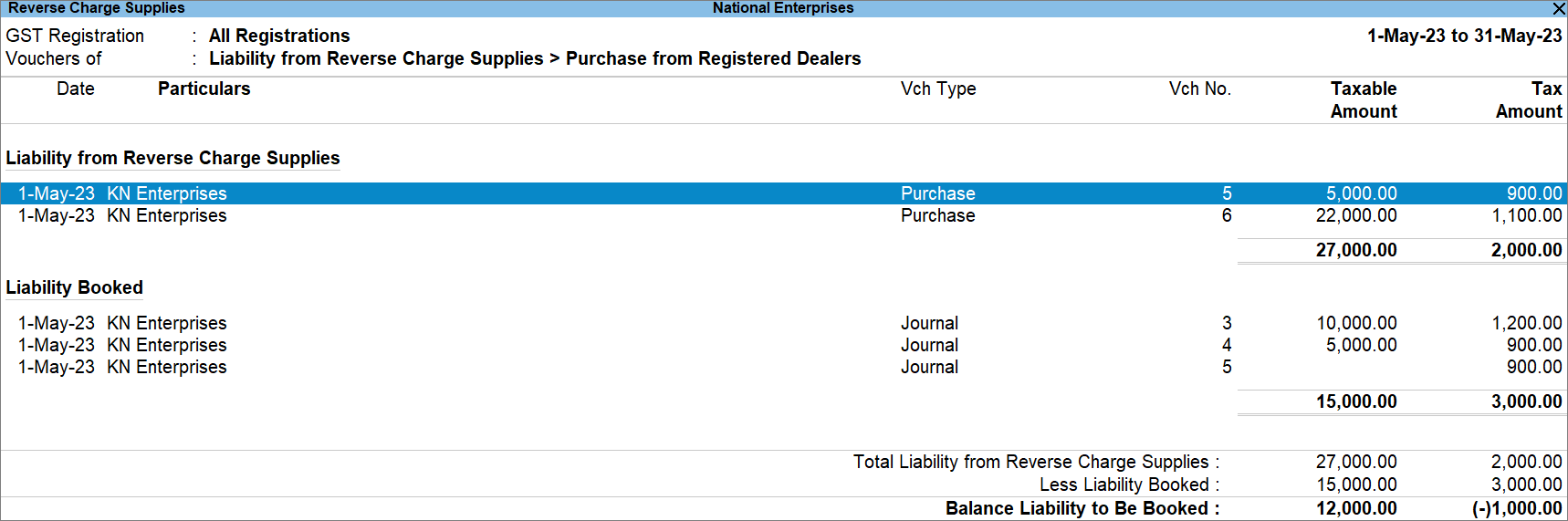
- Press Alt+J (Stat Adjustments) and provide the relevant details in the Stat Adjustment screen.
- Nature of Adjustment: Increase in Input Tax Credit.
- Additional Nature of Adjustment: Purchase Under Reverse Charge from Registered Dealer.
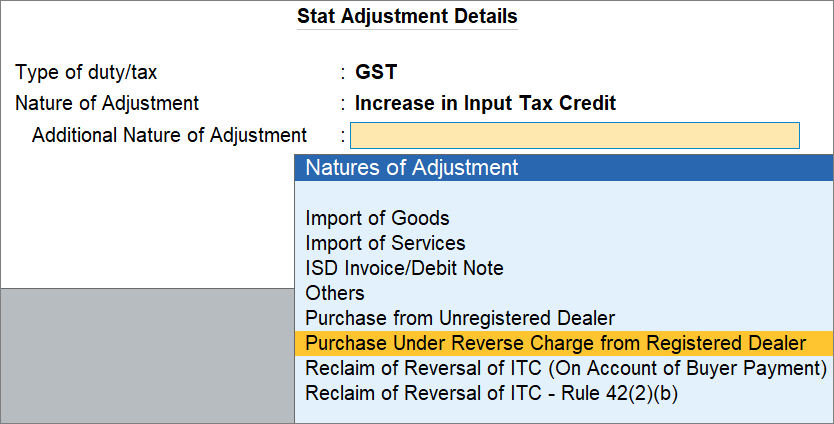
A Journal Voucher screen appears.
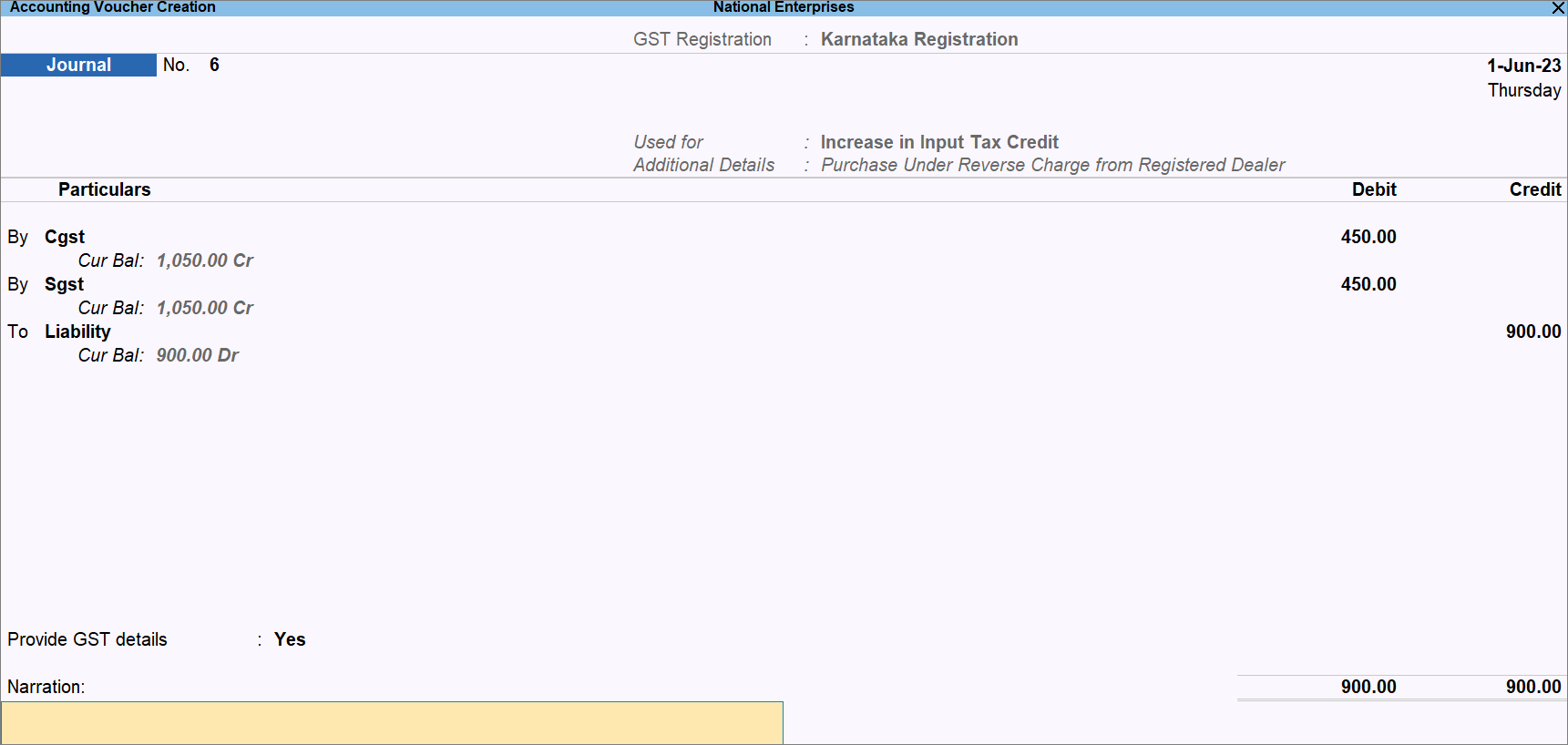
- Create the Journal Voucher to raise the liability.
- Press F2 (Date) and enter the date of the subsequent period in which you are claiming the ITC.
- Provide the tax ledger details.
- Under By, select the relevant GST ledger.
- Enter the tax rate and the invoice amount.
The tax amount gets calculated. - Enter another GST ledger, if it is an intrastate transaction.
- Under To, Select the relevant ledger created for Liability and enter the amount.
- Provide the relevant GST details.
- Provide GST Details: Yes.
- Party Name: Select the party.
Other details get pre-filled, based on the party ledger.
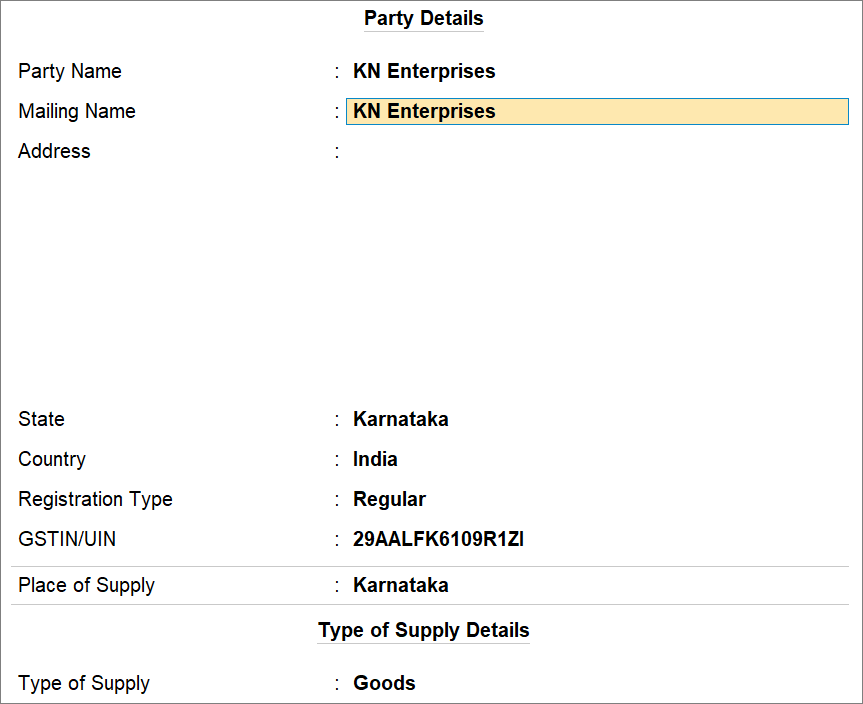
- Press Ctrl+A to save the details.
- Press Ctrl+A to saved the voucher.
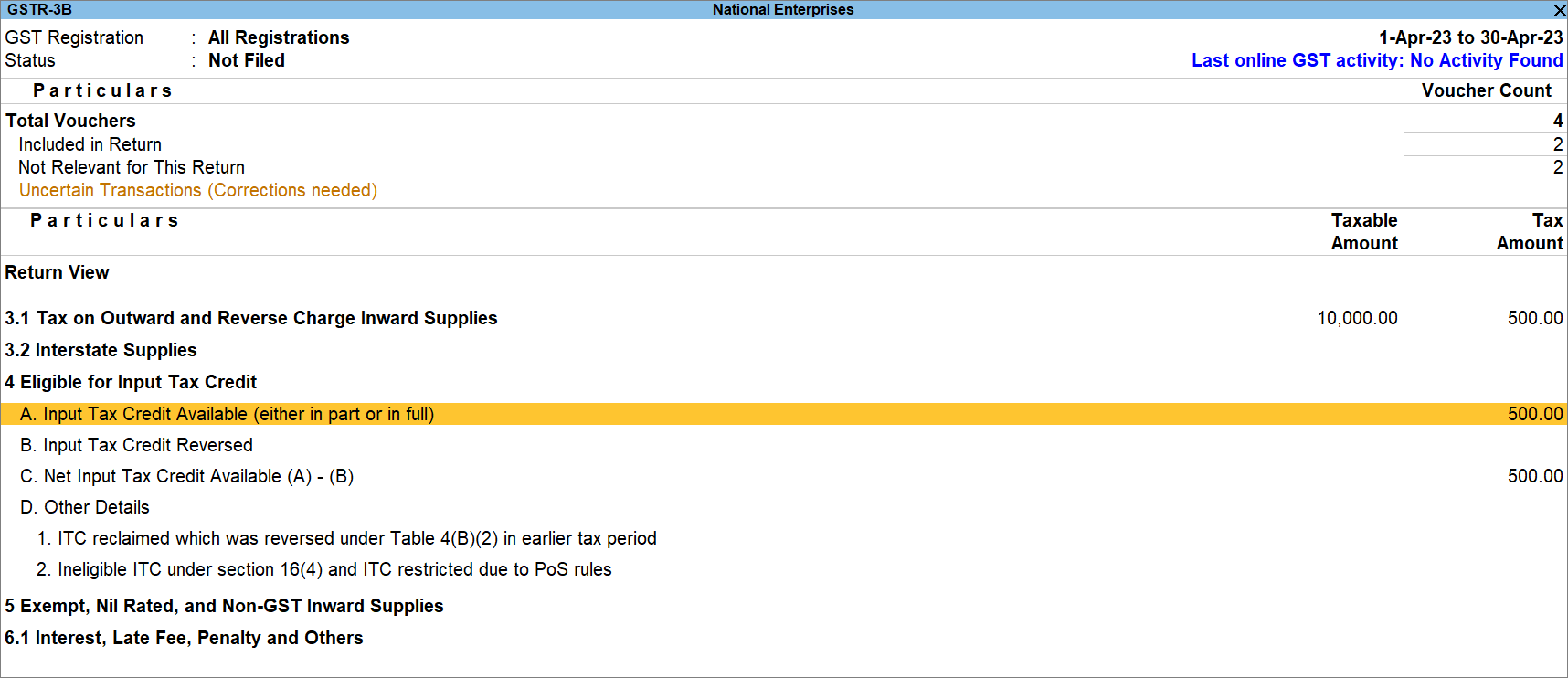
In GSTR-3B, you can view the Input Tax Credit Available (either in part or in full):
Is this information useful?
YesNo


