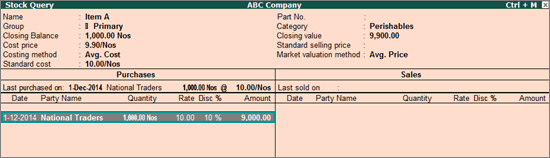
You can enable the option Show Nett Rate (including additional cost and discount)? in the F12: Configure of the Stock Query report to display the nett rate of the stock item.
Note: You need to select the option Appropriate by Qty or Appropriate by Value under Method of appropriation in purchase invoice in the ledger master to appropriate the discount to the stock item.
To display the nett rate of the stock item
1. Go to Gateway of Tally > Inventory Vouchers > S: Stock Query. By default, the Stock Query report displays the stock item without nett rate.
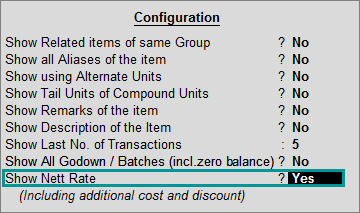
2. Press F12 and enable the option Show Nett Rate (including additional cost and discount)?.
The Stock Query report with the nett rate of the stock item appears as shown below:
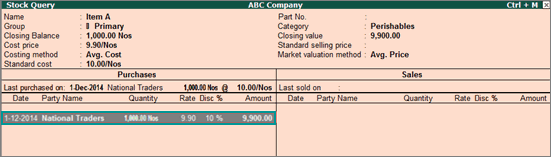
The nett rate displayed, which is Rs. 9.90, includes the discount of 10%.