You can avail CENVAT credit on capital goods either directly in excise purchase entry or through journal voucher.
1. From Gateway of Tally > Accounting Vouchers > F9: Purchase .
2. Select party e.g. ABC.
3. Select the required party ledger.
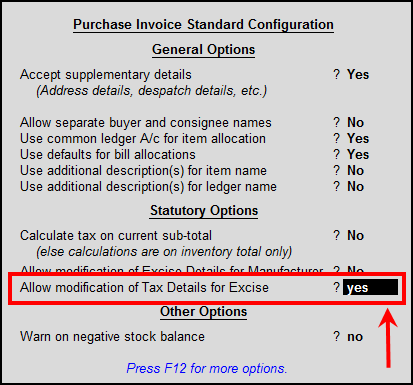
4. Before selecting stock item press F12 .
5. Enable the option Allow modification of Tax Details for Excise as shown below:
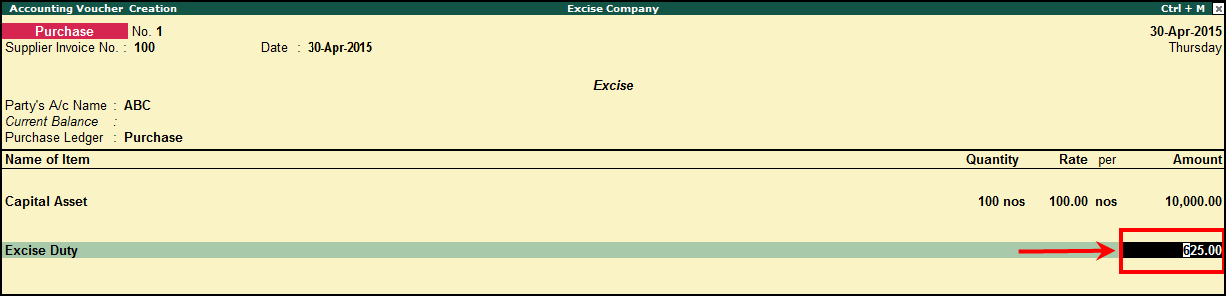
6. Select Stock e.g.:- Captial Asset à provide Quantity(100) , rate(100) and amount(Rs 10000/-). Excise Assessable value screen appears.
7. Specify half of the amount i.e. Rs.5000/- so that Excise Duty (CENVAT) will be calculated on the 50% of the value.

8. Select Excise duty. Duty will be calculated on Rs.5000/- i.e 625 (5000*12.5/100) as shown below.
9. Select current asset ledger and mention the remaining duty amount manually. i.e Rs.625.
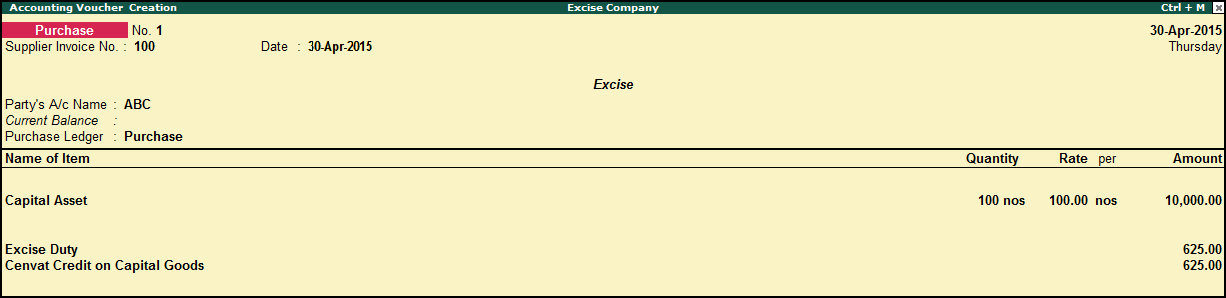
Note: Duty transferred to current asset ledger can be availed in the next financial year.
1. Go to Gateway of Tally > Accounting vouchers > F9: Purchase .
2. Select the required party ledger.
3. Select the purchase ledger.
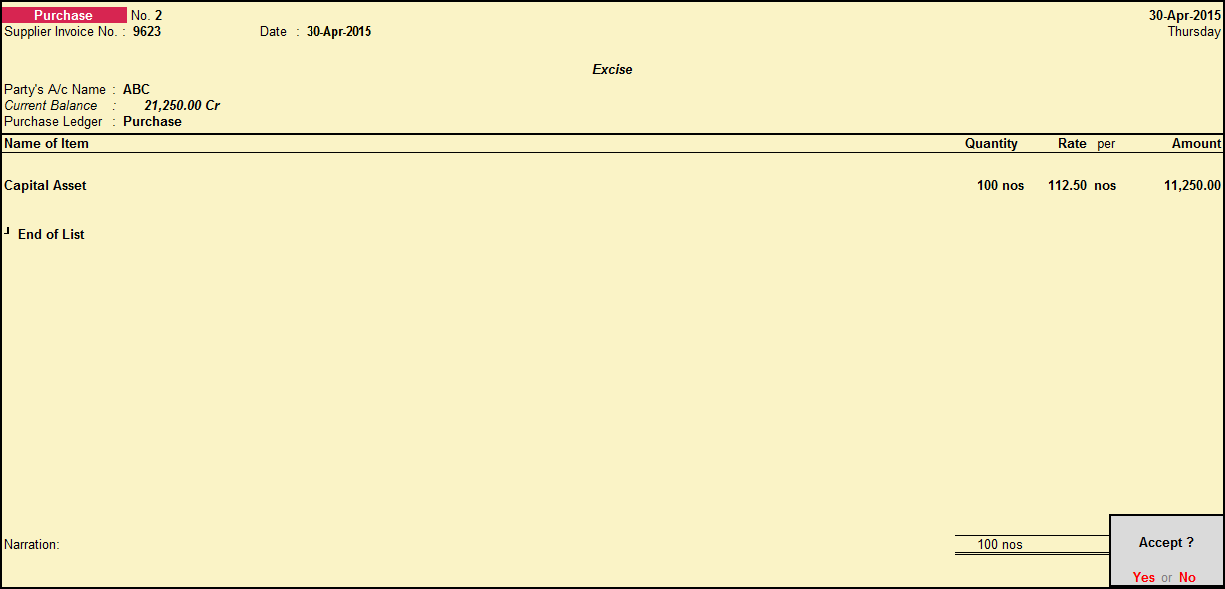
4. Select the required stock item . (e.g.:- Captial Asset à provide Quantity(100) , rate(100) and amount (Rs 10000/-).
5. Without selecting Excise duty ledger accept the transaction as shown below:
1. Go to Gateway of Tally > Accounting vouchers > F7: Journal voucher .
2. Press Alt + J : Stat adjustment .
3. Select Excise in Type of duty/tax .
4. Select Availment of CENVAT Credit (Capital Goods) as Nature of adjustment .
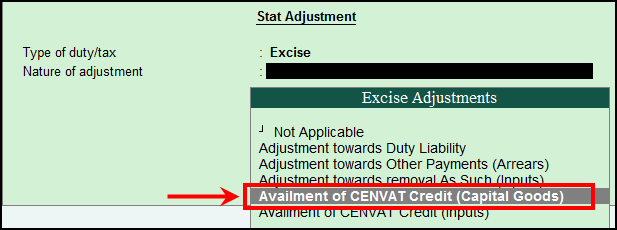
5. Select nature of purchase.
6. Pass the transaction as shown below:
7. Dr Excise duty e.g.: Rs.625 (50% of Duty).
8. Dr Current asset ledger (i.e Cenvat credit on capital goods) Rs.625 (remaining 50% of duty).
9. Cr Purchase ledger.

Note: You can debit CENVAT ledger with 50% of CENVAT amount and debit Current Asset ledger for taking the amount to avail next finacial year and credit the ‘Purchase ledger’. The assumption is that the above value has been included in the purchase value and it has been segregated now.
While crediting purchase ledger, do not select the stock item, quantity and value.