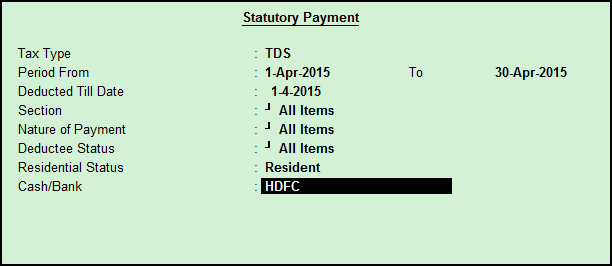
In Tally.ERP 9, you can use payment vouchers to account for TDS payments.
1. From Gateway of Tally > Accounting Vouchers > F5: Payment .
2. Click S : Stat Payment .
Or
2. Gateway of Tally > Display > Statutory Reports > TDS reports > Return > Form 26Q/27Q .
3. Click S : Stat Payment.
4. Select the Tax Type as TDS .
5. Enter the From and To period.
6. Select the Section , as required.
7. Select the Deductee Status.
8. Select Residential Status .
9. Select the cash/bank ledger, as required.
Payment details appear automatically.
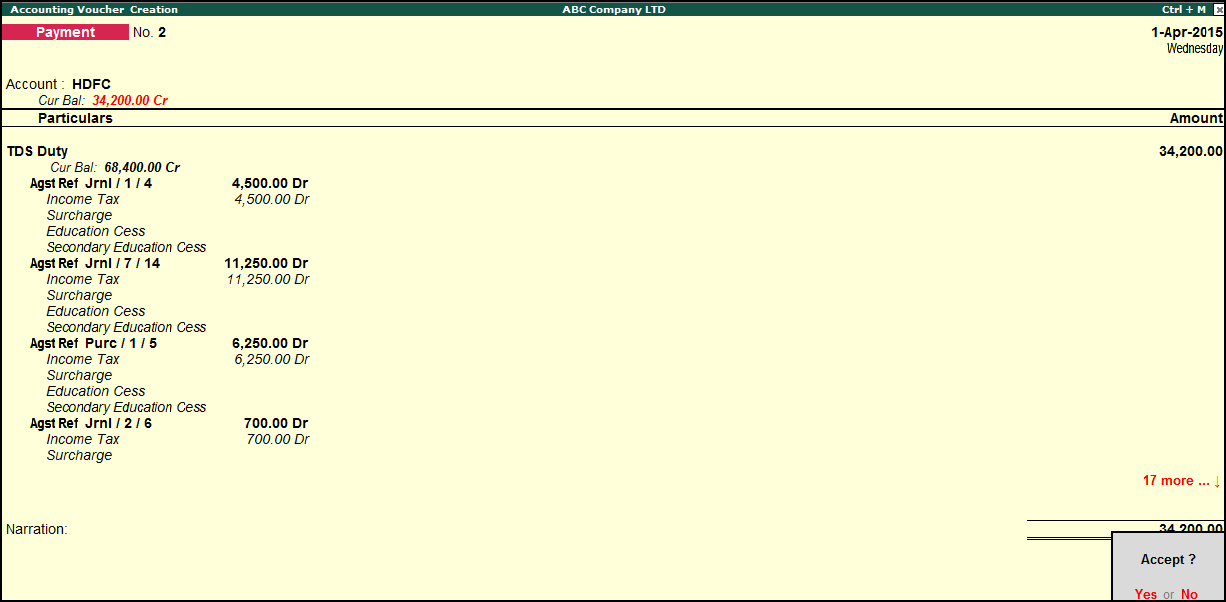
10. Press Enter to save.