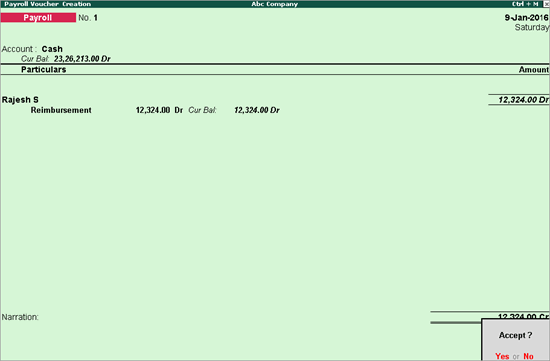
In Tally.ERP 9, you can record a reimbursement using a payroll voucher.
1. Go to Gateway of Tally > Payroll Vouchers .
2. Select the ledger account in the field Account .
3. Select the employee name from the List of Employees .
4. Select the reimbursement ledger .
5. Enter the reimbursement amount. The completed Payroll Voucher Creation screen appears as shown below:
6. Press Enter to save.