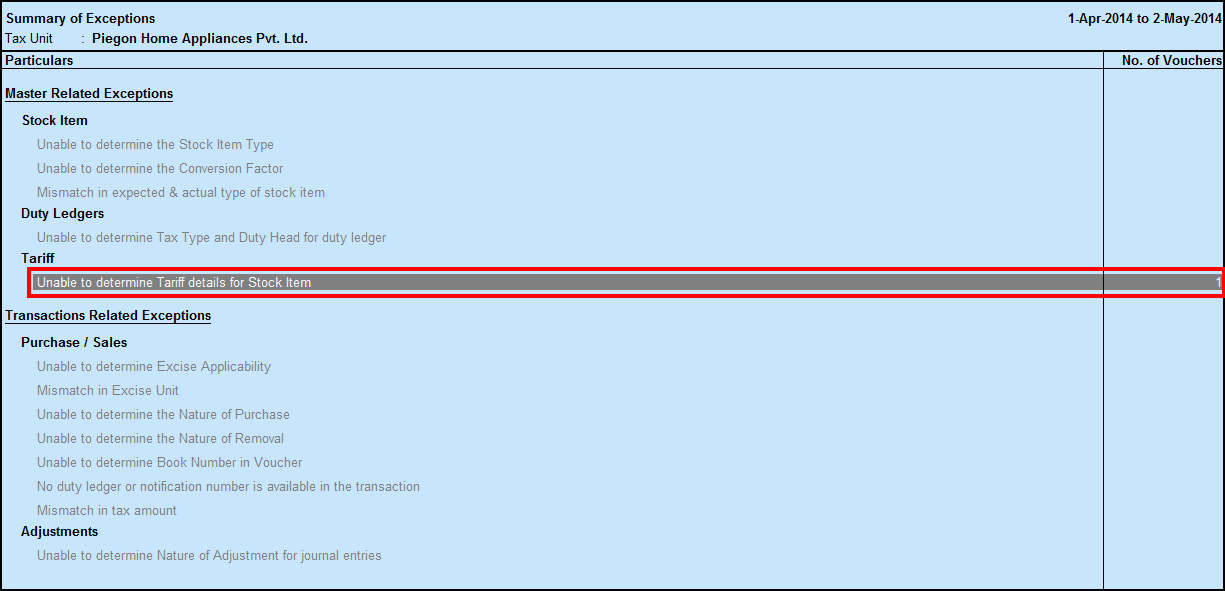
Unable to determine Tariff details for Stock Item
Master-Related Exceptions - Tariff
If Tariff details are not provided in Stock item and the same stock is used in the transactions, this exception will appear.
1. Open the exception. The list of stock items for which tariff details such as HSN Code, Reporting UOM, and Valuation Type is not configured appears as shown below:

2. Press Space bar on stock items.
3. Click S: Set Tariff details to provide tariff details for the stock item.
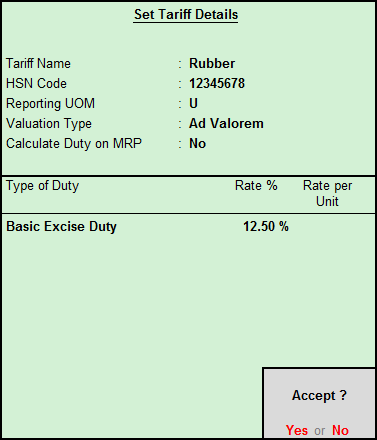
4. Press Enter to rectify the exception.