
You can export dealer e-returns by going to Form-2 from Excise Reports .
To export dealer e-returns
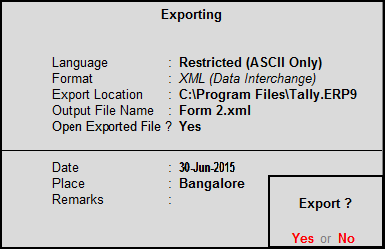
1. Go to Gateway of Tally > Display > Statutory Reports > Excise Reports > Dealer > Return transaction Book or Form-2 > F9: Export Form-2 .
2. Select format Excel or XML .
3. Provide export Location.
4. Provide Output File Name , e.g., form2.xml.
5. Provide Date, place and remarks.
6. Press Enter to export.
Now you can validate exported Excel/xml file using slick edit tool and then upload the same.