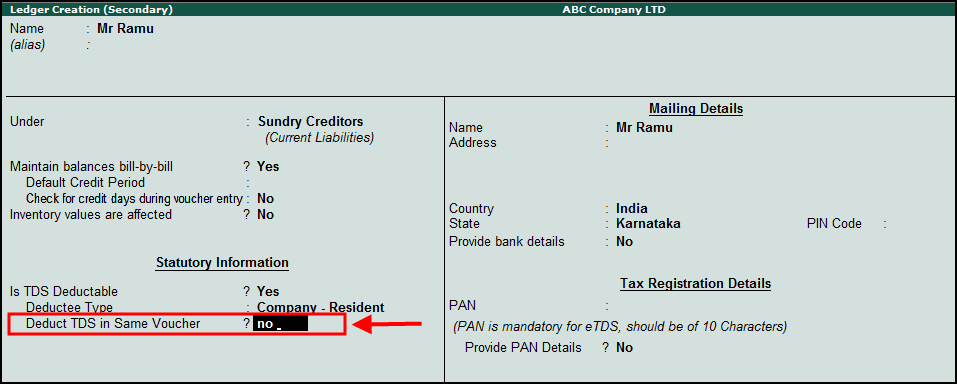
In order to deduct TDS in different vouchers, you have to first disable the option Deduct TDS in Same Voucher .
To disable the option Deduct TDS in Same Voucher
1. Go to Gateway of Tally > Accounts info > ledgers > Alter > Party master
2. In party master under statutory information disable the option Deduct TDS in Same Voucher and save.
Note : By enabling the option Deduct TDS in same voucher will allow user to deduct TDS in same voucher.
To deduct TDS in different vouchers
● Go to Gateway of Tally > Accounting Voucher > F7: Journal . While passing transaction TDS will not get deducted in voucher.
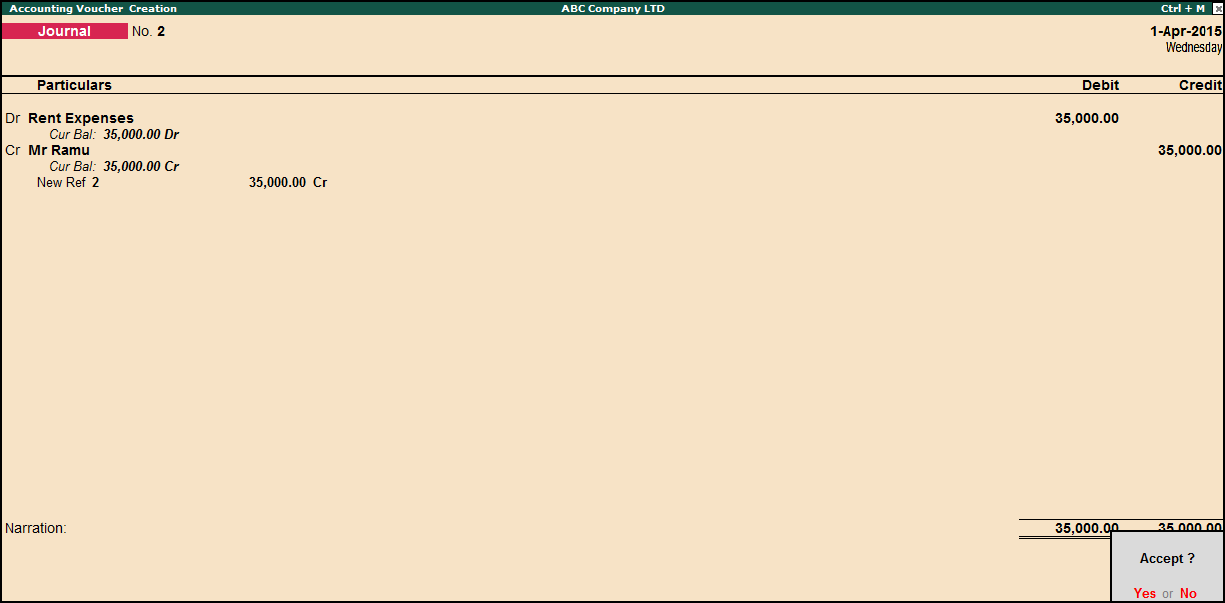
Note : To deduct TDS after booking expenses, open Journal Voucher press Control + P: TDS deduction, in TDS deduction provide the details
● Till date.
● In Party, under list of ledger select the party master for whom TDS should be deducted.
● Select nature of payment from the list.
● Select Duty ledger, enter.
● In billwise details screen select Agnst reference.
TDS will get deducted as shown below.
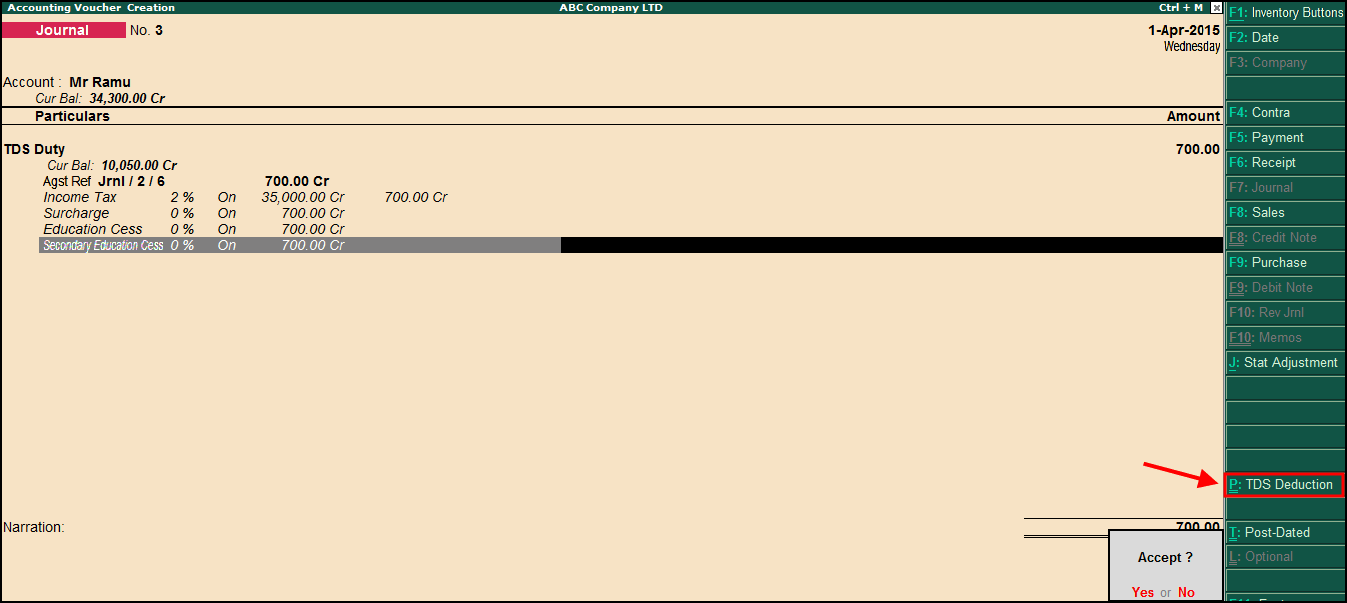
● Press Enter to accept and save the transaction.