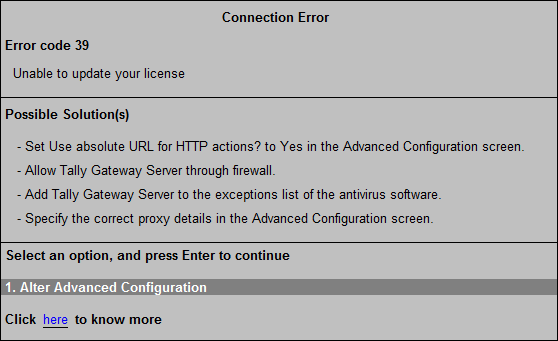
Error Code 39
When you try to activate, reactivate, or update your license, this error occurs due to either of the following: When Microsoft Windows Firewall in your computer is blocking Tally.ERP 9 services, or when a company is connected to Tally.NET server (by pressing F4: Connect from Gateway of Tally).
To resolve this error
● Go to Gateway of Tally > F12: Configure > Advanced Configuration.
o Set Use absolute URL for HTTP actions? to Yes.
o Set Allow Non-HTTP headers to Yes.
o Set the correct proxy details.
o Press Enter to save.
● Allow Tally Gateway Server through MS Windows Firewall.
● Add Tally Gateway Server to the exceptions list of the antivirus software.
● Set the option Connect company on loading to No, in the TSS Features screen.