VAT configurations done in Release 4.9x van be viewed in the data migrated to release 5.x.
To view the VAT configurations of Release 4.9x setup
1. Go to Gateway of Tally > Inventory Info. > Tax Rate Setup > VAT.
2. Click F12: Configure.
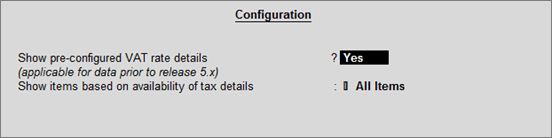
3. Enable the option Show pre-configured VAT rate details? as shown below:
4. Press Ctrl+A to accept.
The VAT Rate Setup screen with Previous Rate Configuration and Current Rate Configuration appears as shown below:
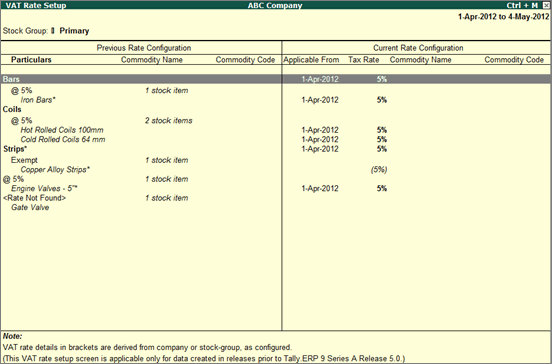
The Previous Rate Configuration section displays all rate information derived from stock item masters in the migrated data.