Trade name can be pre-defined for a stock item, stock group, or accounting master. As per the trade name selected, the commodity names get updated when the Helper button is clicked.
To select the trade name for a master
1. Click F12: Configure in the VAT Details of stock group/stock item/accounting ledger.
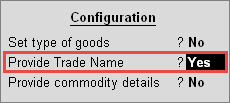
2. Set the option Provide Trade Name? to Yes as shown below:
3. Press Ctrl+A to save.
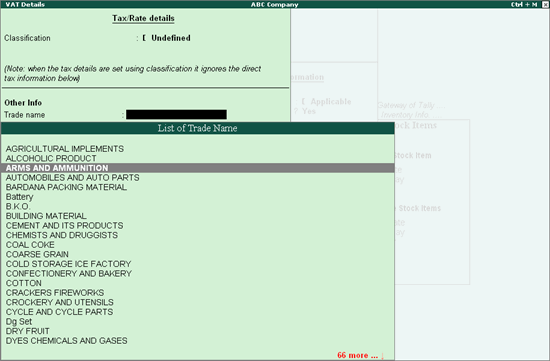
4. Press Ctrl+C in the option Trade name
5. Select the Trade Name from the List of Trade Name, as shown below:
6. Select the Commodity Name.
7. Enter the Commodity Code.
8. Select the Calculation type.
9. Enter the Tax rate and Surcharge based on the Calculation type.
10. Press Enter to save.
When this master is used in a transaction, the trade name and commodity details get captured in the relevant VAT return forms.