Annexure J2 captures party-wise details of taxable purchases within the state of Maharashtra.
To view and print Annexures J2
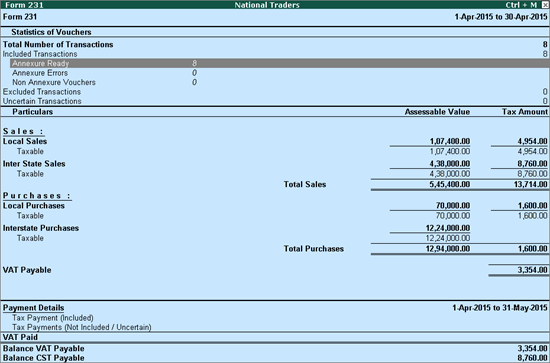
1. Go to Gateway of Tally > Display > Statutory Reports > VAT > Select any forms (Form 231, Form 233, Form III E) > Annexure-J2.
2. Select Annexure Ready and press Enter.
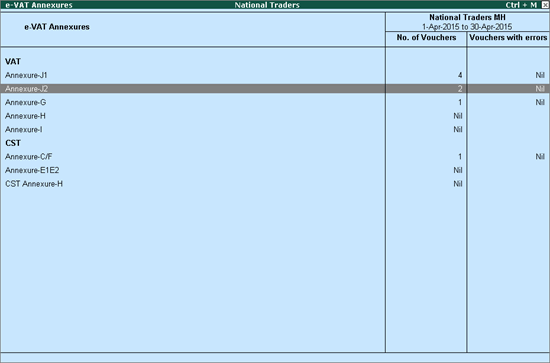
3. Select Annexure J2 and press Enter.
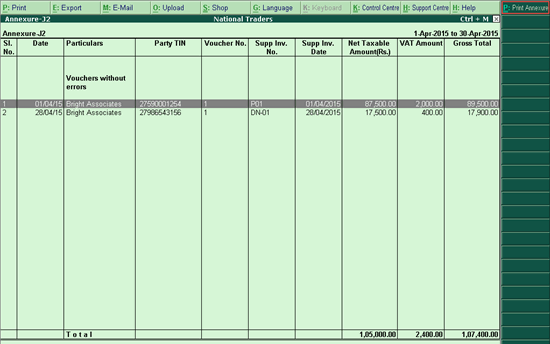
4. Click P:Print Annexure
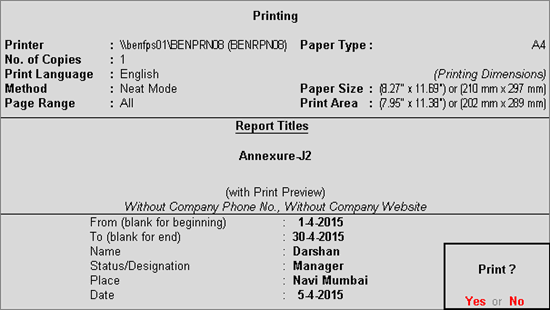
5. Press Enter to print.
The print preview of Annexure J2 appears as shown below:
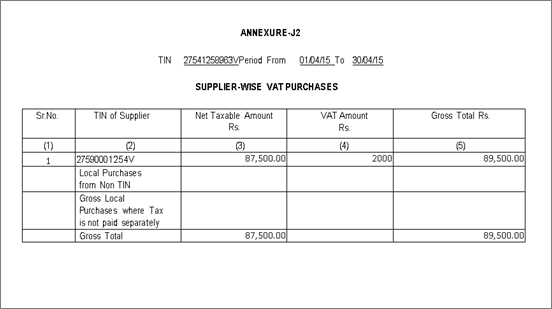
The VAT TIN entered in the Company Operations Alteration screen of F3: Statutory & Taxation features is displayed here.
The period entered in From and To date fields in Print Report screen of Annexure J2 is displayed here.
The serial number of transactions is displayed here.
The TIN/Sales Tax Number predefined for the party ledger master selected while invoicing taxable purchases is displayed here.
The assessable value of taxable purchases made within the State including purchase of capital goods is captured party-wise in this column.
The total input VAT on taxable purchases is captured party-wise in this column.
The total of assessable value and VAT amount is displayed here.
The assessable value and input VAT of purchases made from non-TIN holder (TIN is not predefined in the ledger master)by selecting input VAT ledger is displayed here.
The values of purchases made from non-TIN holder (TIN not predefined in party ledger master) without selecting input VAT ledgers or by using VAT/Tax class - Purchases - From Unregistered Dealers is displayed here.