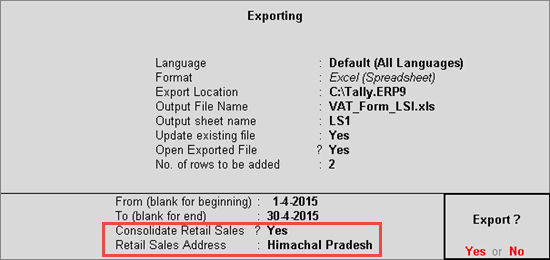
You can export the consolidated data of retail sales to the e-VAT template of LS-1 by providing the address in the field Retail Sales Address of the Export Report screen.
To consolidate retail sales and enter the address details
1. Go to Gateway of Tally > Display > Statutory Reports > VAT > Form VAT XV.
2. Click A: Annexures.
3. Select VAT Form LSI.
4. Press Enter.
5. Press Ctrl+E to view the Export Report screen.
6. Set the option Consolidate Retail Sales? to Yes. The cursor moves to the field Retail Sales Address only when this option is enabled.
7. Enter the address in the field Retail Sales Address, as shown below:
8. Press Enter to export data.
In the data exported to the template, the column Customer Name displays Retails Sales against the consolidated value of retail sales made to unregistered dealer. The column Address of customer displays the address entered in the field Retail Sales Address.