You can move the input service credit to excise input credit.
To move the Service Tax credit from ST3 to ER 1 form
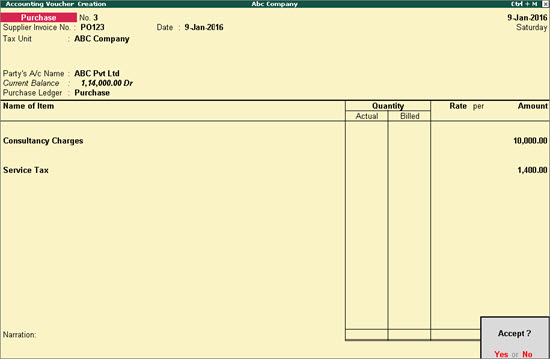
1. Record a purchase transaction with service tax, as shown below:
2. Go to Gateway of Tally > Display > Statutory Reports > Service Tax Reports > Form ST3.
o Click Included Transactions.
o Select the required transaction.
o Click Move to Excise on the left menu bar.
o Select the Tax Unit Name, as required.
o Press Enter to save.
To view the transaction in ER 1 report
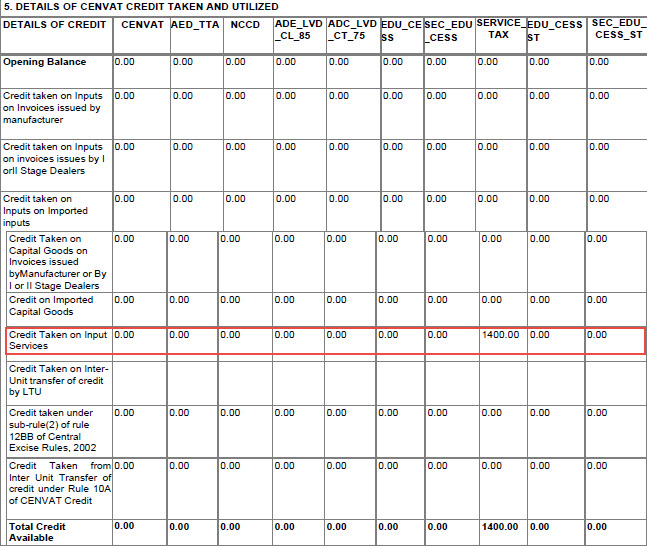
1. Go to Gateway of Tally > Display > Statutory Reports > Excise Reports > Manufacturer > Form ER 1. The transaction appears in the excise report.
The print preview of the excise report appears as shown below: