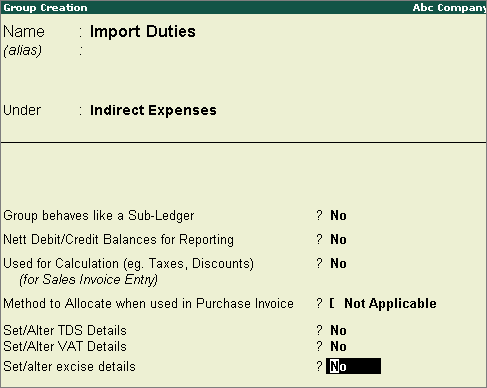
You can create a separate group with a name like 'Import Duties’ under Indirect Expenses for custom duty.
To create a custom duty group
1. Go to Gateway of Tally > Accounts Info. > Groups > Create.
2. Enter the Name for the group.
3. Select Indirect Expenses in the field Under.
4. Provide other details, as required.
5. Set the option Set/alter excise details? to No. The completed screen appears as shown below:
6. Press Enter to save.