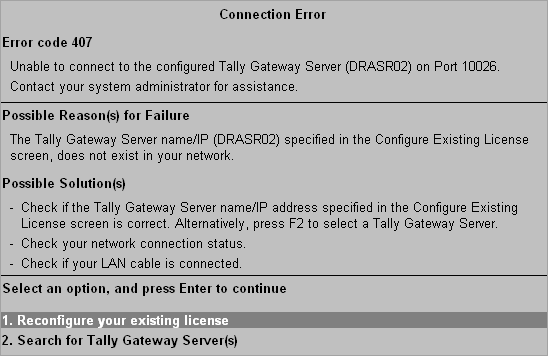
Error Code 407
This error occurs when Tally.ERP 9 is unable to connect to the configured Tally Gateway Server and Port.
● If the Tally Gateway Server specified in the Configure Existing License screen does not exist in your current network, this error may occur.
● Check if the Server name/IP address and Port specified in the Configure Existing License screen is correct.
● Alternatively, press F2 in the Configure Existing License screen to select a Tally Gateway Server.
● Go to Control Panel and check if the LAN connection is enabled or disabled on your computer. If the connection is disabled, enable it.
● Check if your LAN cable is connected to both your computer and the network wall socket.
After you have resolved the issue you can:
● Reconfigure your existing license, or
● Press F2 in the Configure Existing License screen to search for Tally Gateway Servers.