Enabling the analysis tool is a simple two step process.
To enable the analysis features in Tally.ERP 9
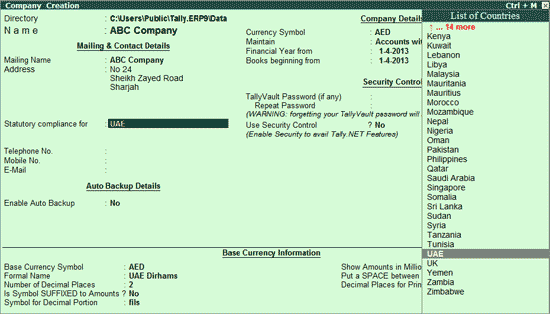
● In the Company Creation screen, select the country. The list of applicable countries is available here.
Note: Ensure that Security Control is enabled during Company Creation.
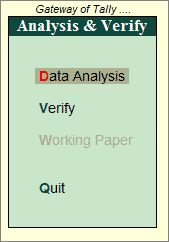
On creation of the company, the Gateway of Tally appears with the new menu option Analysis & Verification.

● Select Analysis & Verification.
In case, Security Control is not enabled while Company Creation, then the following screen appears.
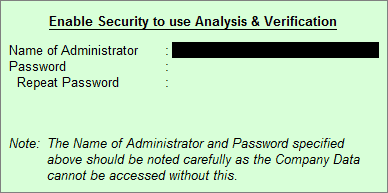
● Enter the name of the Administrator with the security password in this screen.
● Press Enter to accept.
The Analysis & Verify menu appears as shown below: