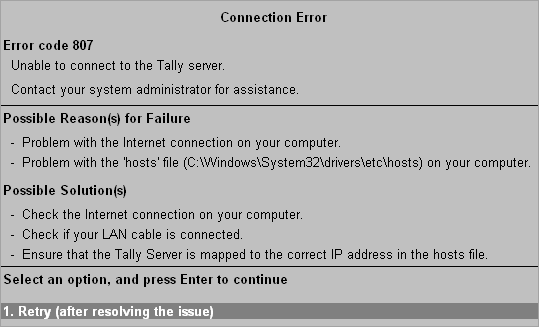
Error Code 807
This error occurs when Tally.ERP 9 is unable to connect to the Tally Server.
This error may occur if,
● There is problem with the Internet connection on your computer.
● There is a problem with the hosts file on your computer.
● Go to Control Panel and check if the Internet connection is enabled or disabled on your computer. If the connection is disabled, enable it.
● Check if your LAN cable is connected to both your computer and the network wall socket.
● Ask your system administrator to ensure that the Tally Server is mapped to the correct IP address in the hosts file (C:\Windows\System32\Drivers\etc\hosts) on your computer.
After you have resolved the network issue you can:
● Retry.