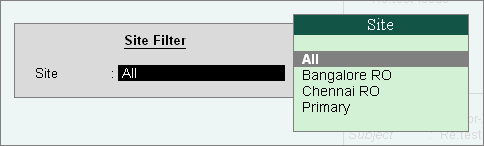
Go to Company Info menu or Gateway of Tally > Support Centre [Ctrl + H] > F8: Site Filter
You can opt to view the query list based on the Sites (namely, All, the Primary and Other Sites) in case of Multi Site licensing for any Group by list selected.
Click on F8: Site Filter provided in the buttons toolbar or press F8, to select the Site from the list.
Select the option All under Site to display all the queries/ issues, of all the Sites/ Locations based on the Group by option selected.
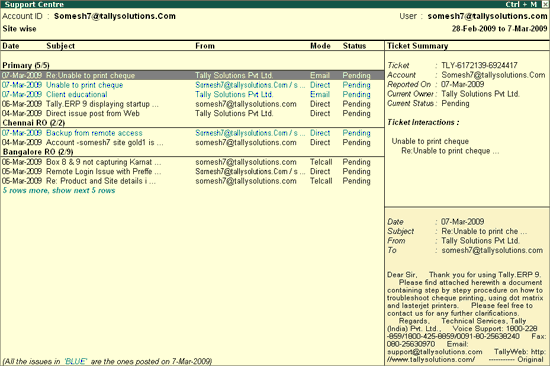
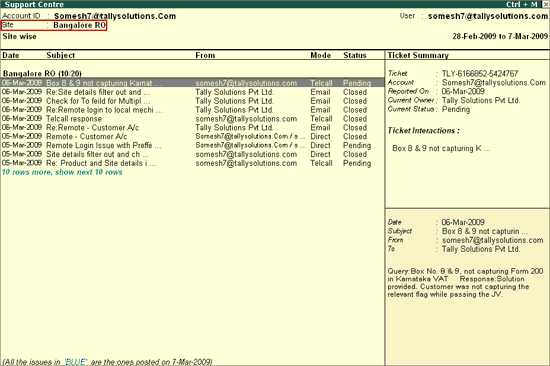
Select a Site, say 'Bangalore RO’ from the list of Sites to display the query list pertaining to the selected Site, as shown:
Note: The F8: Site Filter option will be available only in case of Multi Site licensing.
In case you have selected a Site, from the list of sites by pressing F8: Site Filter, the query list will display the Site ID on the top left (below the Account ID) in the Support Centre screen, as shown.