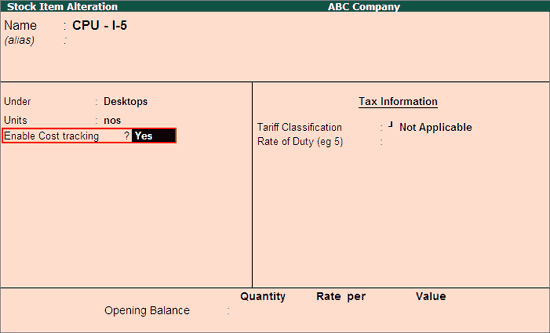
The Stock Item and Ledgers required for Item Cost Tracking have to be configured.
To configure Stock Items for Cost Tracking,
Go to Gateway of Tally > Inventory Info > Stock Items > Create / Alter
Set Yes to Enable Cost tracking, as shown:
Note: The Cost Tracking option appears only when Unit is selected for Stock Item.
Provide the other required details and Save the Stock Item.
To configure the Ledgers for Cost Tracking,
Go to Gateway of Tally > Accounts Info > Ledgers > Create / Alter
Set Yes to Allow Stock Item Cost allocation, as shown:
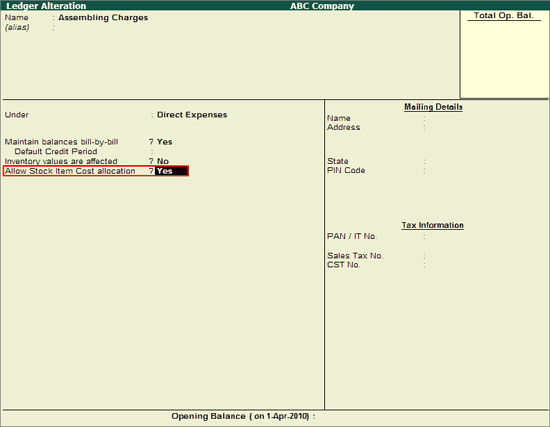
Note: The option Allow Stock Item Cost allocation appears only for the ledgers grouped under Expenses & Incomes (Direct/Indirect), Purchases & Sales Accounts.
Provide the other required details and Save the Ledger.